
Never Miss a Habit in Real Life
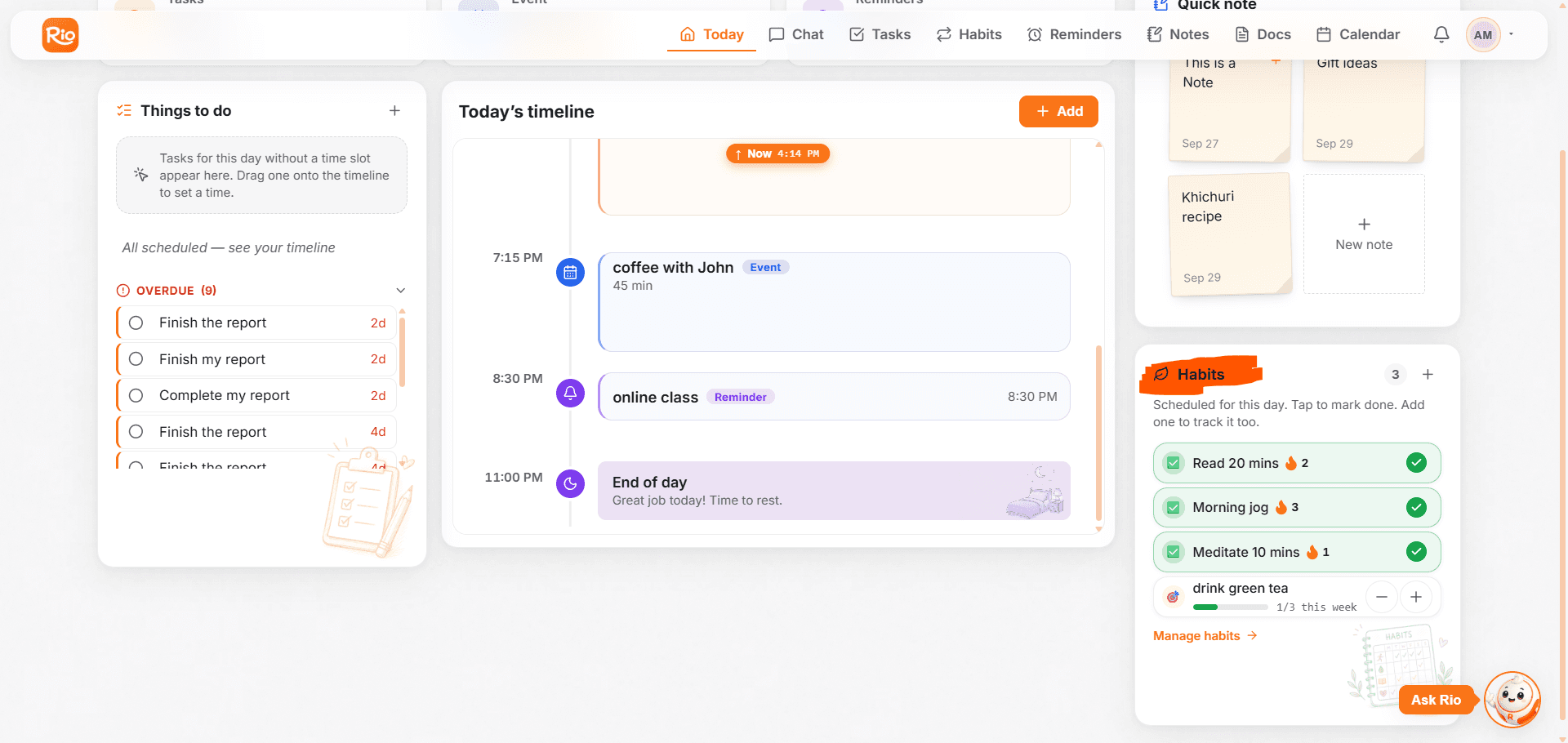
Your habits show up on Rio's Today timeline next to tasks and events. Mark them done right there, without opening the Habits page.
The Habits page is where habits live - but Today is where they happen.
Habits on Your Timeline
Any habit scheduled for today - or anything recurring you've set - appears right on Today's timeline, alongside your tasks and events. Your habits aren't a separate world; they're part of your actual day.
Mark It Done, Right There
Finished your morning walk? Tap mark done on the timeline - that's the whole check-in. No opening another page, no breaking your flow. The mark feeds your streak and history automatically.
Manage Habits, One Click Away
Below your habits on Today sits Manage Habits - one click takes you straight to the full Habits page, where you can reset, reschedule, edit, change a status, or delete anything.
Tip
This is the whole point: your habit shows up exactly where your day already lives - so forgetting it takes effort.
Track Every Day, See Every Streak
Track habits in Rio with four daily statuses: kept, missed, coming up and not scheduled. See streaks, monthly calendars and your hit rate.
Let Rio Build Them With You
Create, rename or delete habits by chat. Tell Rio 'read 20 pages every night' and it sets the habit, and a reminder too if you ask.