
Notes - Never Lose a Thought
Rio Notes: jot a thought from anywhere, pin what matters, and find any note later with search or filters by area and tag.
Ideas don't wait. With Notes, you catch them the moment they arrive - and find them the moment you need them.
Note It Down Anywhere
Open Notes and hit + Note - that's it. Or use the + in the sidebar, or the Quick note panel on Today's page. Wherever you are, a note is one tap away.
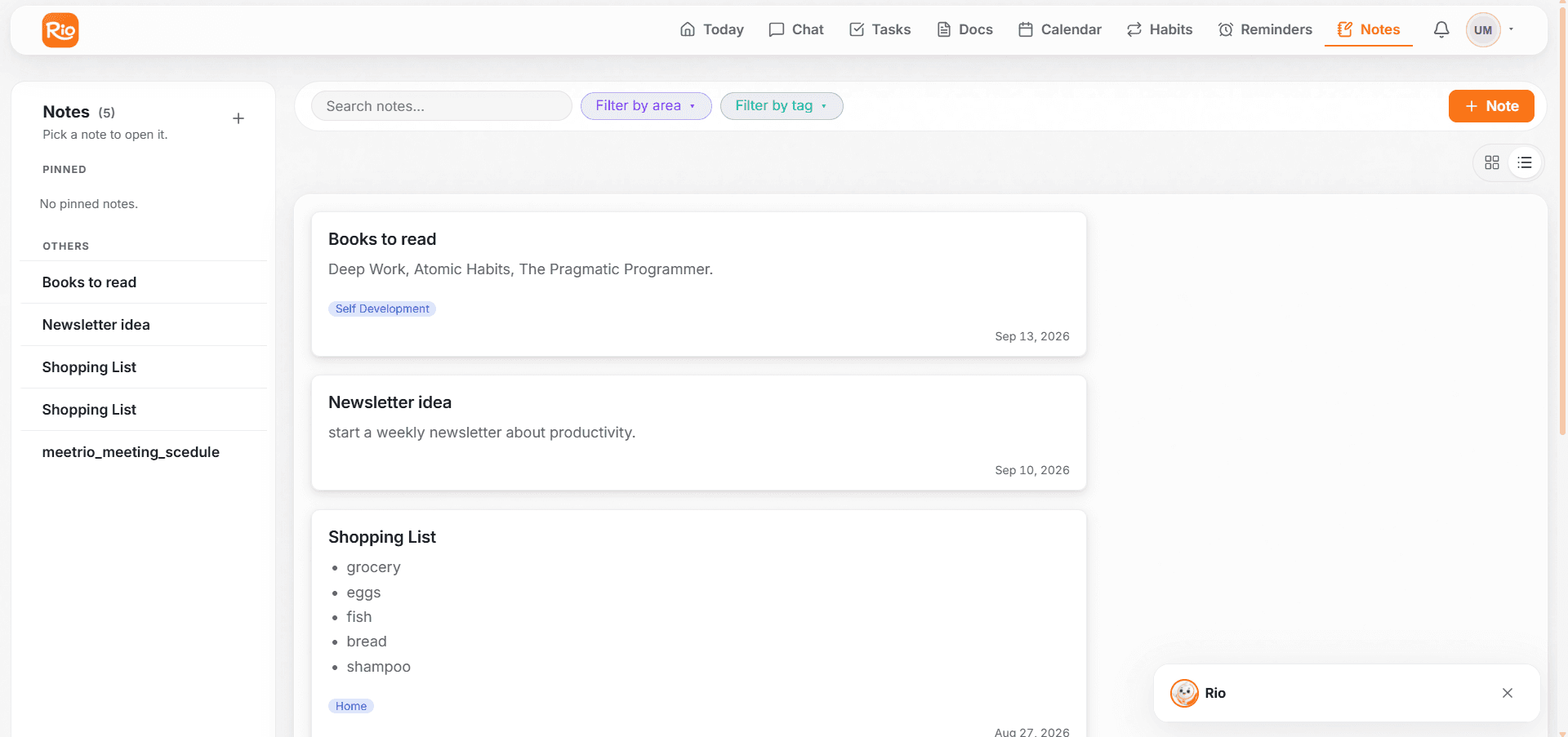
Find Anything Later
Search through everything, or filter by area and filter by tag - a note from weeks ago surfaces in seconds.
Pin What Matters
Important note? Pin it - it stays on top of your sidebar, above the rest.
Make It Yours
Give notes their own colors, and view them wide or compact - exactly how you like to read them.
Set It by Chat
Just tell Rio - create, pin, or delete a note, any time, in plain language. See Just Tell Rio to Note It.
Fix Common Reminder Issues
Fix common Rio reminder issues: a reminder that didn't arrive, one skipped by mistake, and checking whether it fired in History.
Capture It in Seconds
Create a note in Rio from the Notes page, the sidebar, or Today's Quick note panel. Choose grid or list view, colours and tags.