
Notes Right on Today's Page
Keep notes in view on Rio's Today page. The Quick note panel shows your notes like sticky notes and creates new ones in one tap.
The thought you need right now shouldn't live two clicks away. Today's page keeps your notes in view.
The Quick Note Panel
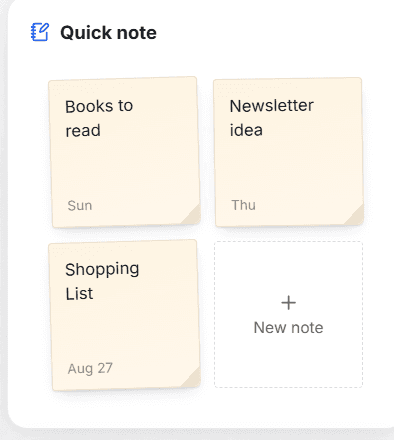
Today's page has a Quick note panel - your existing notes sit there like sticky notes, and the + New note tile creates one on the spot.
Jot, Then Carry On
Something worth remembering mid-day? Tap + New note, type it, move on - it's saved to your Notes automatically.
Tip
Use the Quick note panel as your scratchpad for the day - anything noted there is waiting in Notes tonight.
Pin It, Tag It, Find It Fast
Pin important notes to the top, search every note, and filter by area or tag. Keep your Rio notes sorted and easy to find.
Just Tell Rio to Note It
Create, update, pin or delete notes by chat. Tell Rio 'add bread and coffee to my Shopping List' and it updates the note for you.