
One-Time or Repeating - Your Choice
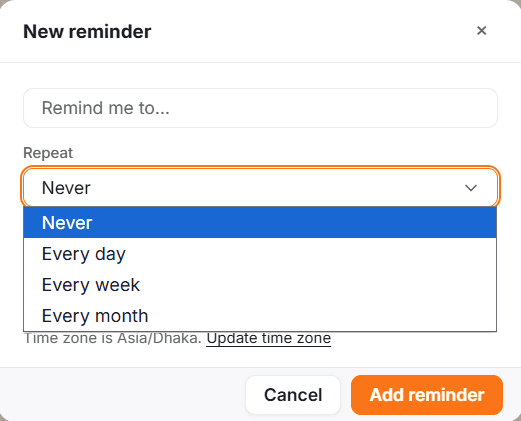
Set a Rio reminder to fire once, repeat daily, weekly or monthly, or repeat until a date. Manage every repeating one in a single list.
Some reminders happen once. Some repeat until you say stop. Rio handles both.
Set the Rhythm
When creating a reminder, choose:
- One-time - a single nudge on a specific date and time
- Recurring - repeats daily, weekly, or monthly
- Until a date - repeats, but stops after a specific day
Manage Repeating Ones
All your repeating reminders live in one list - Recurring Reminders. Change the rhythm, edit the details, or stop any of them whenever life changes.
Good to know
Recurring reminders show up in Upcoming too, day by day - you'll always see the next few occurrences ahead of time.
Set It Once, Hear It When It Matters
Create a reminder in Rio with a title, date, time and delivery by phone or email. Skip one time, stop it repeating, or delete it.
Today's Reminders, Right in Sight
See all of today's reminders from Rio's Today page in one tap: what's coming and at what time, before the first one arrives.