
Keep Busy Days Under Control
Spot overlapping events on Rio's calendar before the day arrives. Move one, shorten one, or ask Rio to find a free slot for you.
Some days crowd up fast. Rio's calendar helps you see it coming - and fix it - before the day arrives.
See It Coming
When two events overlap, the conflict is visible right on your calendar - crowded blocks instead of a surprise at 3pm.
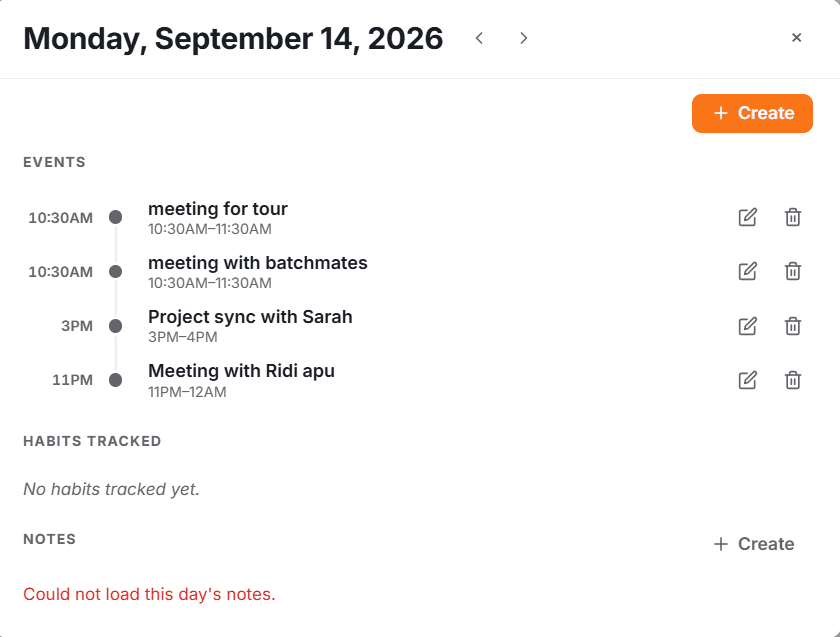
Fix It Fast
A conflict isn't a crisis - it's a to-do:
- Move one - reschedule it to a free slot
- Shorten one - pull the end time back
- Ask Rio - "My Tuesday meetings overlap, what should I do?" - and let Rio suggest the fix
Tip
Use the week view to spot crowded days early - the fix is always easier three days before than three minutes before.
Every Detail, in One Place
Set an event's title, date, start and end time, all-day toggle, location and notes in Rio, and make it repeat on any schedule.
Run Your Calendar by Chat
Schedule by chat. Tell Rio things like 'team meeting next Tuesday at 3pm' and it creates, moves or cancels calendar events for you.