
Run Your Calendar by Chat
Schedule by chat. Tell Rio things like 'team meeting next Tuesday at 3pm' and it creates, moves or cancels calendar events for you.
Don't feel like clicking through the calendar? Describe what you need - Rio does the scheduling.
Say It Naturally
- "Schedule a team meeting next Tuesday at 3pm."
- "I have a dentist appointment Friday at 10."
- "Set up a weekly sync with the design team, every Monday at 11."
Relative dates work exactly the way you say them - tomorrow, next Friday, the 15th. Rio turns your words into a scheduled event.
Change Plans Mid-Conversation
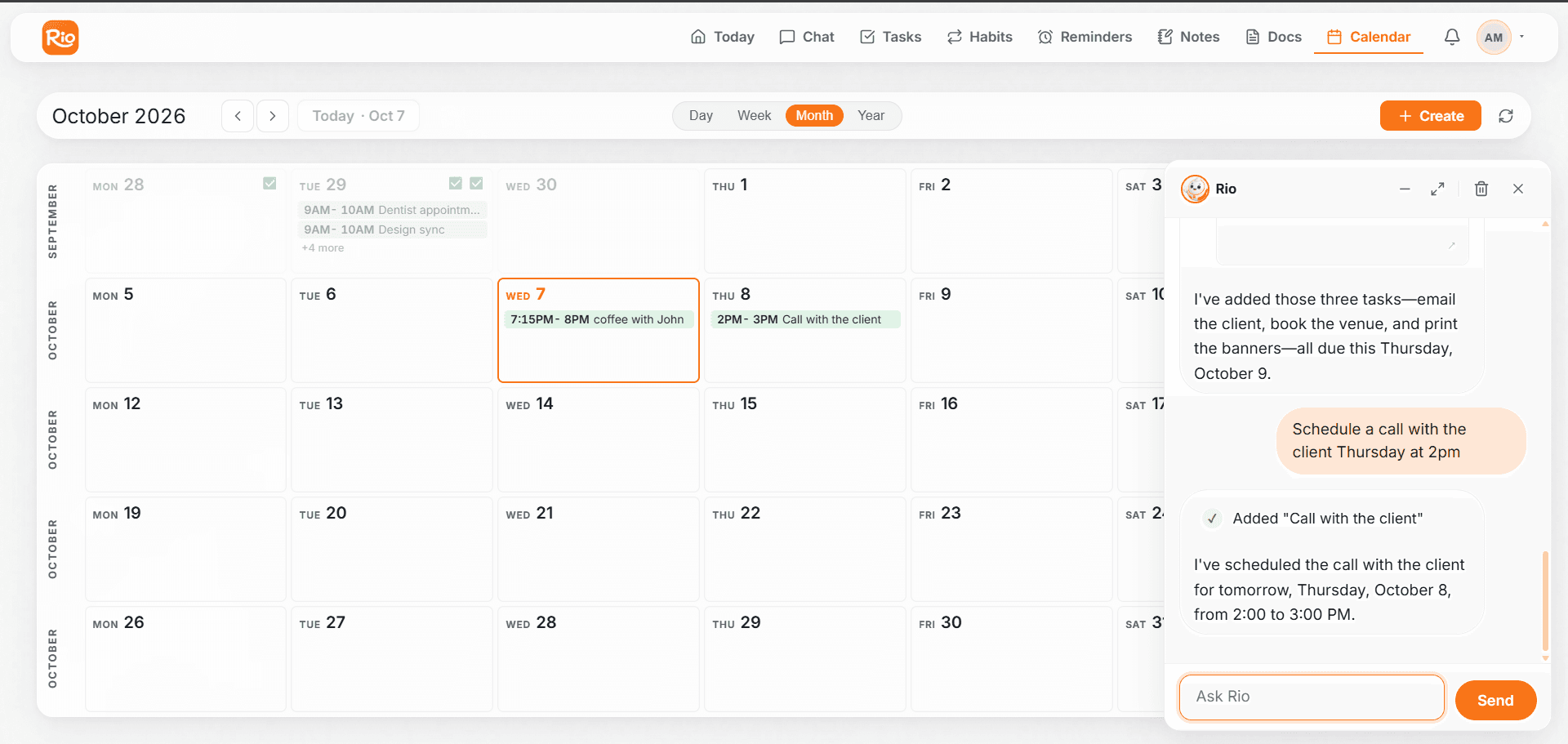
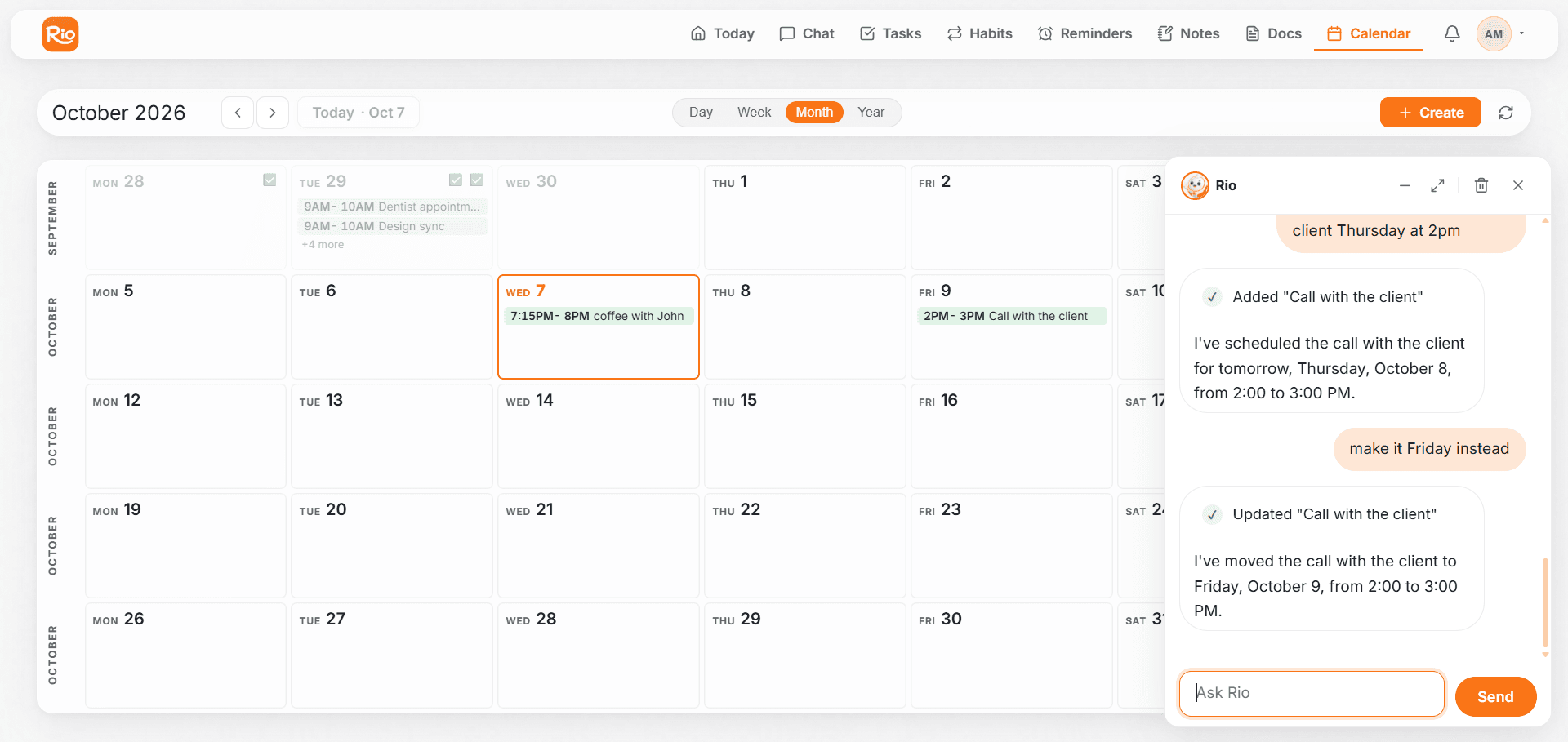
You: Schedule a call with the client Thursday at 2pm. You: Actually, make it Friday instead.
Rio updates the same event - no duplicates, no re-typing.
Tip
If Rio isn't sure which event you mean, it asks one quick question instead of guessing - a short answer is all it takes.
Keep Busy Days Under Control
Spot overlapping events on Rio's calendar before the day arrives. Move one, shorten one, or ask Rio to find a free slot for you.
Fix Common Calendar Issues
Fix common Rio calendar issues: events not showing, overlapping events, and editing one instance or a whole series of a recurring event.