
Calendar - Your Week, Clearly Seen
See your week at a glance in the Rio mobile app. Swipe the week strip, scan your agenda, and add or open events in one tap.
Your whole schedule, one glance. The Calendar tab keeps your days visible - and your plans one tap away.
See Your Week at a Glance
Open Calendar and you get two views working together:
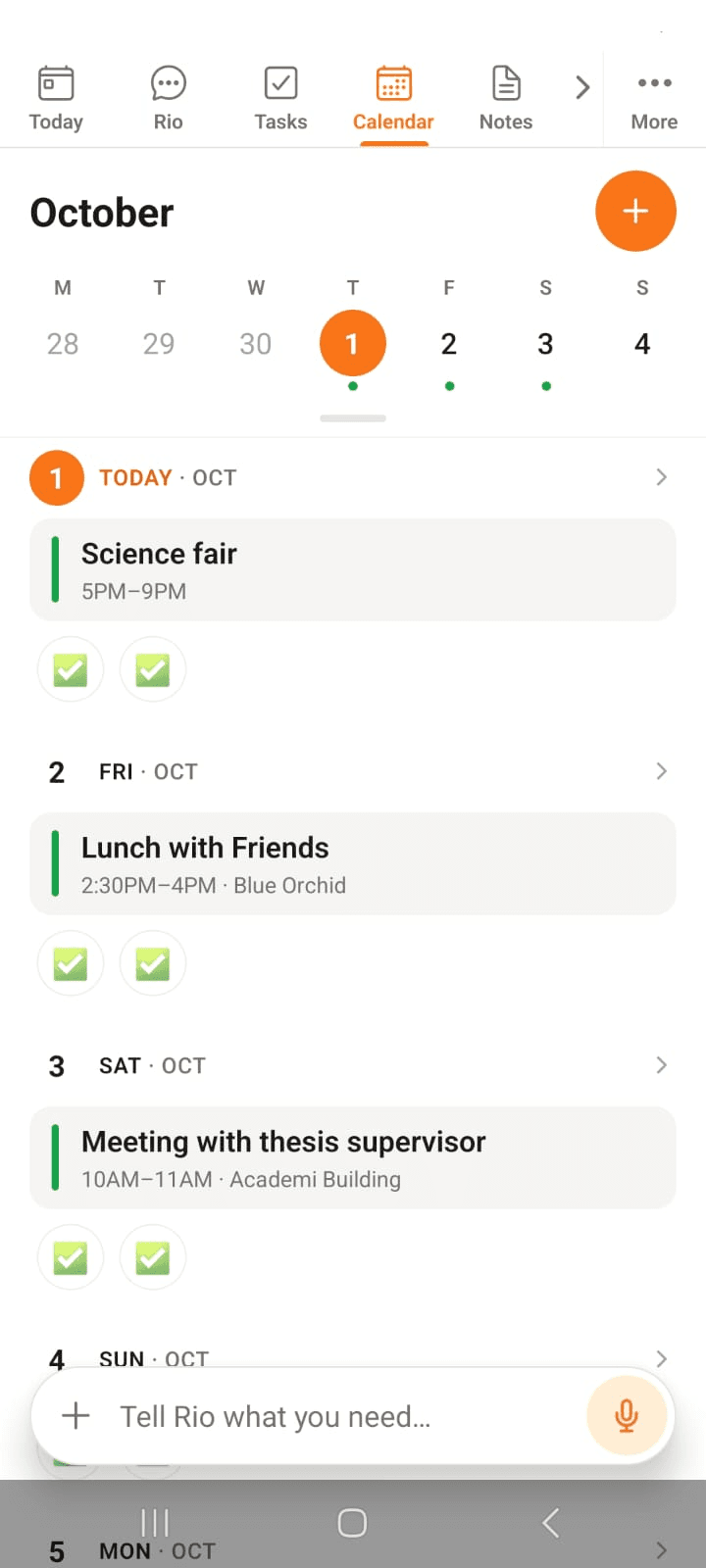
- Week strip - swipe through the days at the top; today is highlighted
- Agenda - your upcoming days listed below, so nothing sneaks up on you
Empty days say Nothing planned - ready for whatever's next.
In the screenshot, the week strip sits up top - today highlighted - and each day below lists its events with times and places.
Add an Event in Seconds
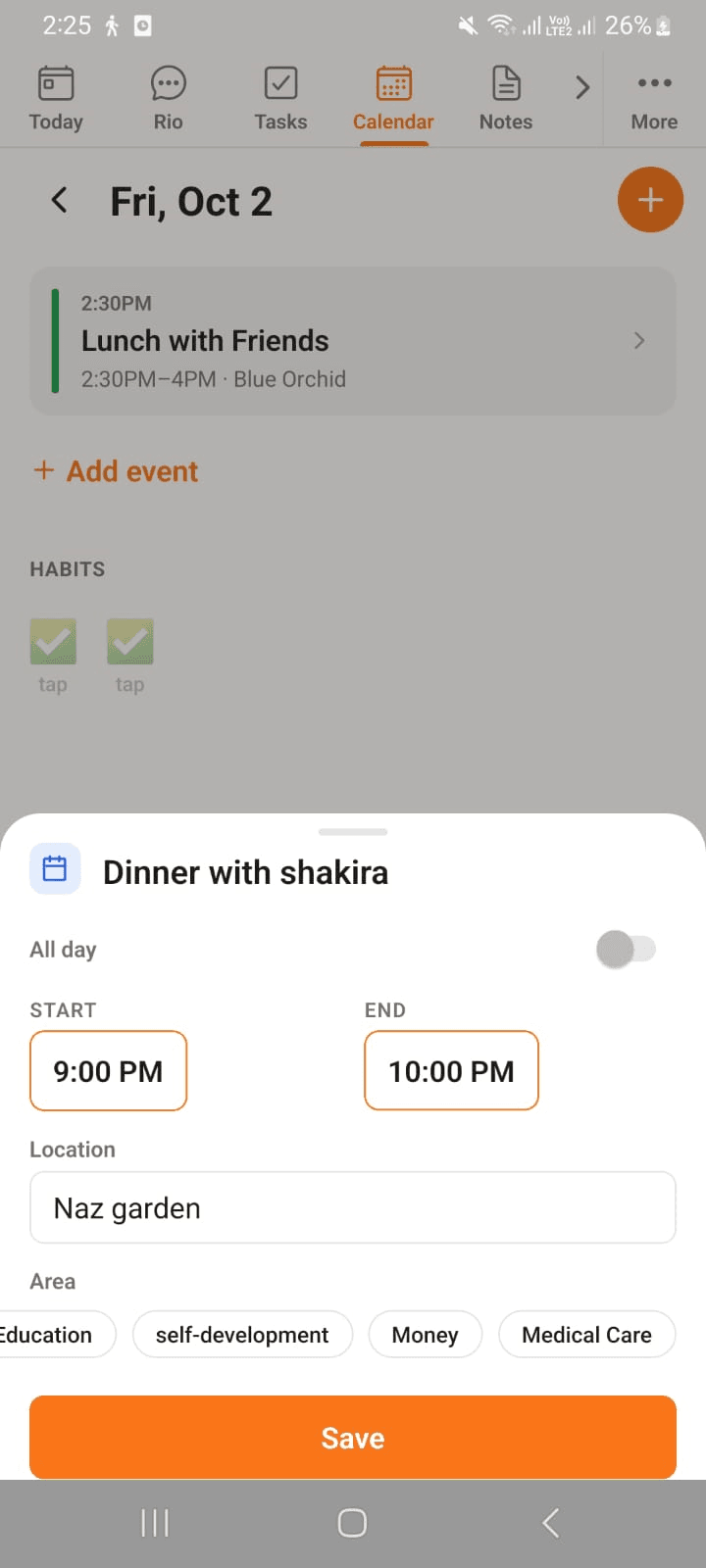
Tap any day to open it, then + Add event:
- Name the event
- Set Start & End - or flip All day for the whole-day ones
- Add a Location if it helps future-you
- Choose an Area - Work, Home, wherever it belongs
Save, and it's on your calendar. The + button does the same, right from the month view.
In the screenshot, an event is being set up - name, start and end times, a location, an area - then Save.
Or Just Tell Rio
Speak your plans - Rio does the typing:
- "Lunch with Sara tomorrow at 1 PM."
- "Move my 3 PM meeting to Thursday."
- "Add a team standup every Monday at 10."
Plans change all the time - rescheduling by voice is exactly what Rio's for.
Good to know
Events and reminders are different things. An event holds your schedule; a reminder pokes you when it's time. Want both? Say "Add lunch with Sara tomorrow at 1, and remind me 15 minutes before."
Tasks - Capture, Plan, Finish
All your tasks in one list on the Rio mobile app. Sort by due date or area, filter and search, and add tasks by hand or by voice.
Notes - Write It Down, Find It Fast
Capture a note in seconds in the Rio mobile app. Add a title and colour, pin what matters, and find any note fast with search.