
Rio - Chat That Gets Things Done
Two ways to talk to Rio on your phone: the Rio bar on every screen, or a full chat. Type or speak, and Rio gets it done.
In Rio, you barely need menus. Two ways to reach your assistant - say what you need, and it gets done.
The Rio Bar - on Every Screen
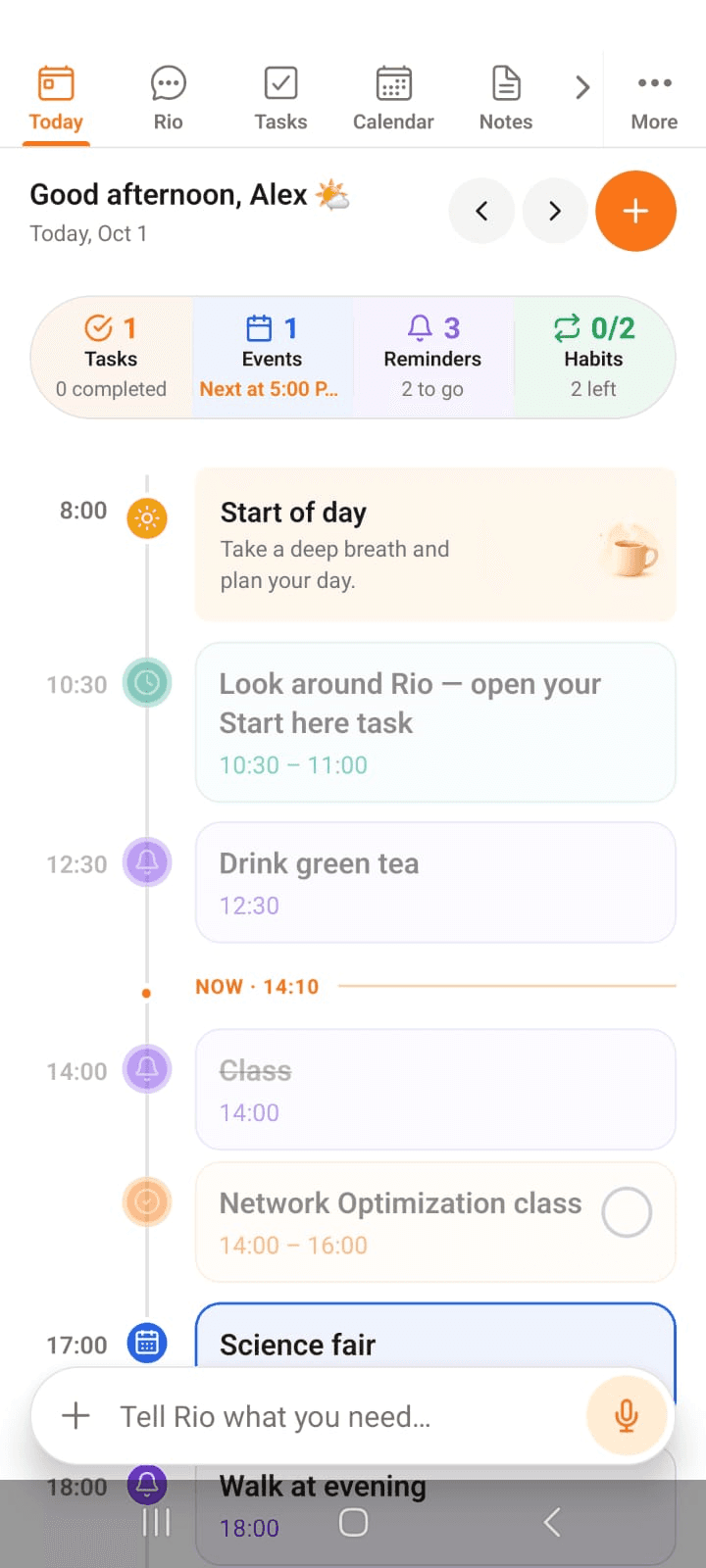
At the bottom of every page sits the Rio bar: "Tell Rio what you need..." Type your instruction - or hold the mic and speak it. You could be deep inside Tasks or glancing at Calendar; Rio acts right where you are.
Quick in, quick out - that's what the bar is for.
In the screenshot, the Rio bar sits at the bottom of the Today page - always within reach.
The Dedicated Chat - Full Power
Tap the Rio tab and you get the full chat experience. Everything the bar does, plus:
- History - every conversation is saved. Reopen an old chat and continue right where you left off
- Upload anything - attach a file, get a quick answer
- Voice - talk instead of typing
Longer, detailed conversations live here.
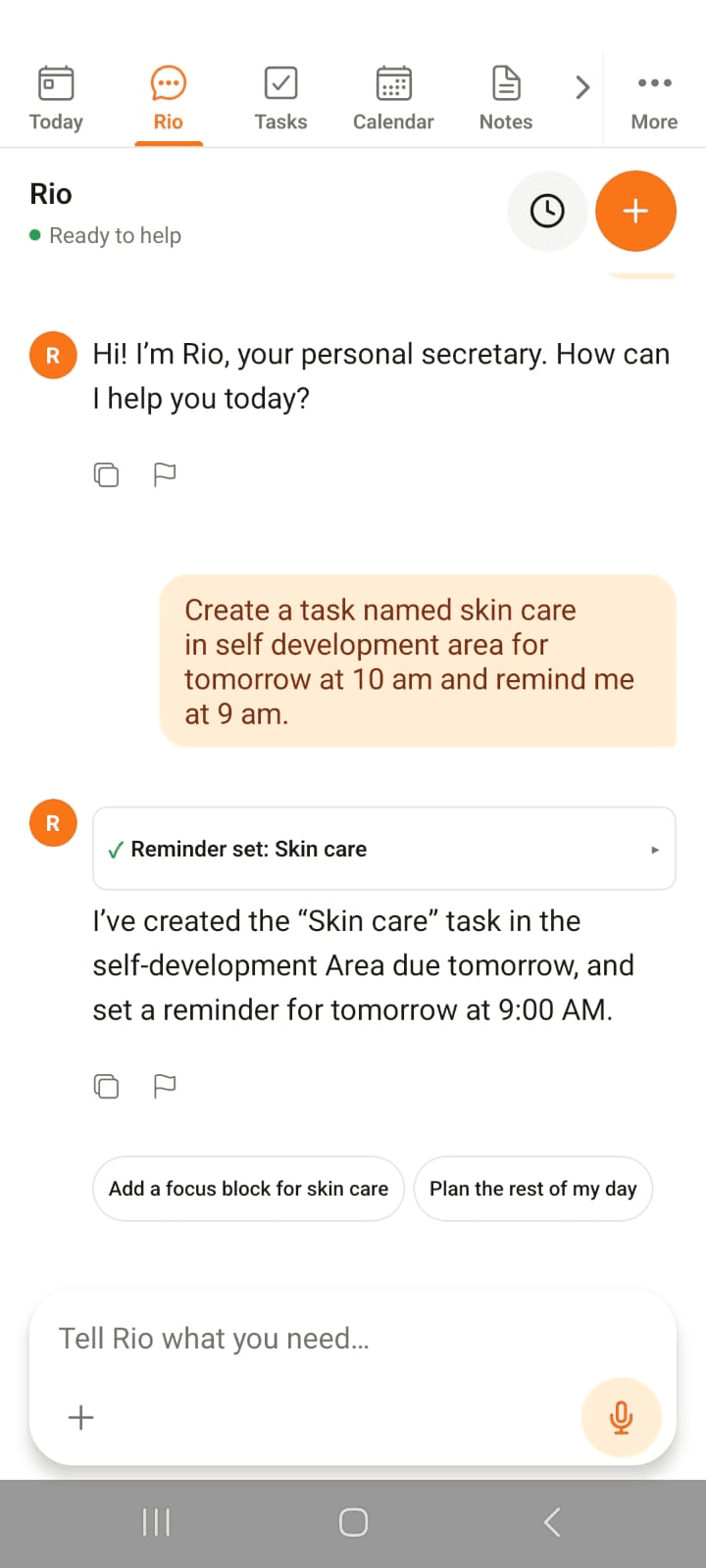
In the screenshot, Alex asks Rio to create a task with a reminder - Rio confirms Reminder set: Skin care and offers follow-up chips like Add a focus block for skin care.
One Instruction, Organized
The real magic: you never have to create things manually. Rio organizes everything on your word:
- "Add a task to submit the report Friday, and remind me an hour before."
- "Move my 3 PM meeting to tomorrow."
- "Create a gym habit, remind me every morning at 7."
Task, event, reminder, habit, note - say it, and it lands in the right place, set up the right way.
Tip
Quick question at midnight? Use the bar. Planning your whole week? Open the dedicated chat - you'll want the history.
Today - Your Day at a Glance
Today in the Rio mobile app lays out your day hour by hour: tasks, events, reminders and habits, with a live now-line to keep you on track.
Tasks - Capture, Plan, Finish
All your tasks in one list on the Rio mobile app. Sort by due date or area, filter and search, and add tasks by hand or by voice.