
Reminders - On Time, Every Time
Set one-time or repeating reminders in the Rio mobile app. See today and this week at a glance, and get nudged at the right moment.
Never trust your memory with the small stuff again. Set it once, and Rio taps you on the shoulder at exactly the right moment.
Your Reminders at a Glance
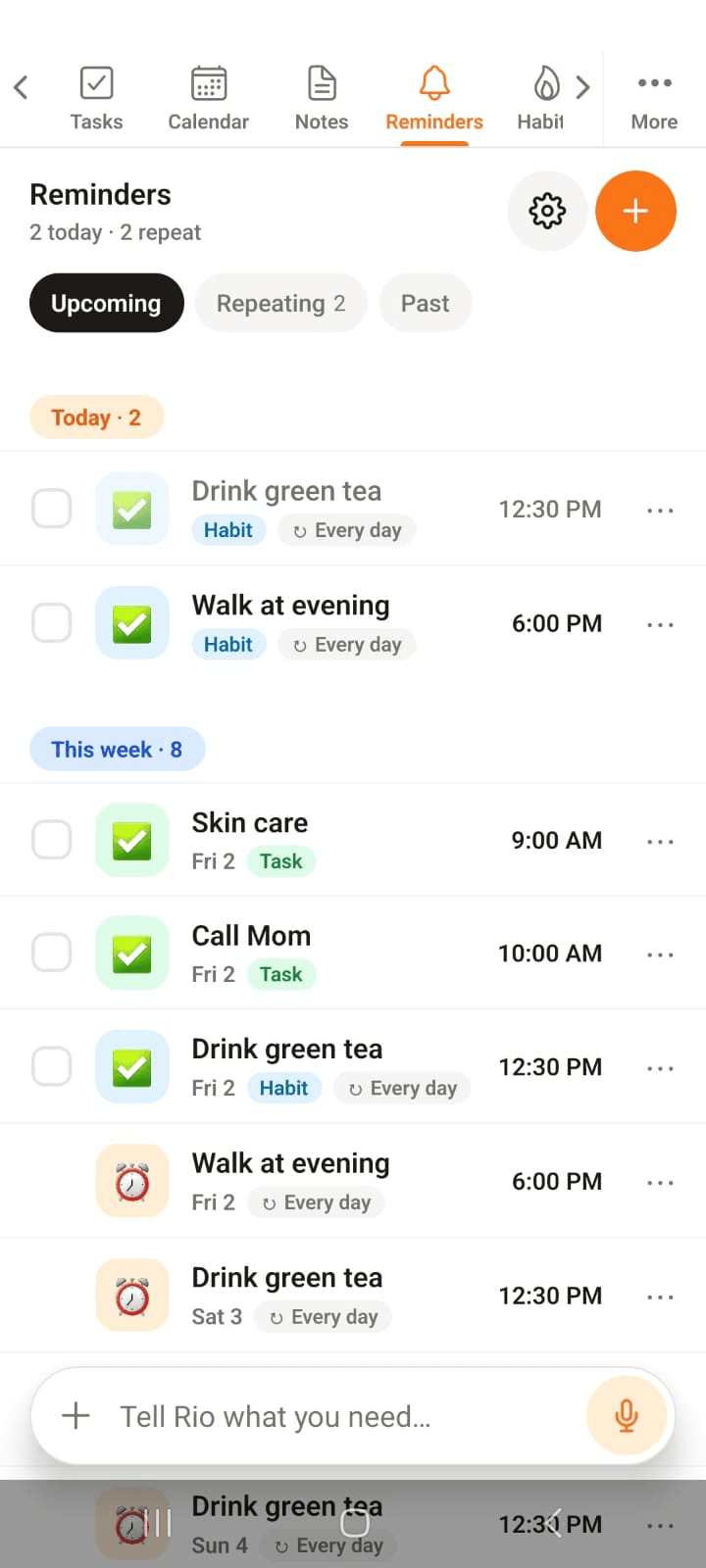
Everything Rio remembers for you, sorted into Today and This week - with Upcoming, Repeating and Past views up top.
In the screenshot, today holds two habit reminders and the week lines up the rest - each with its time and repeat tag.
Set a Reminder in Seconds
Tap the + on the Reminders page:
- What should Rio remind you about?
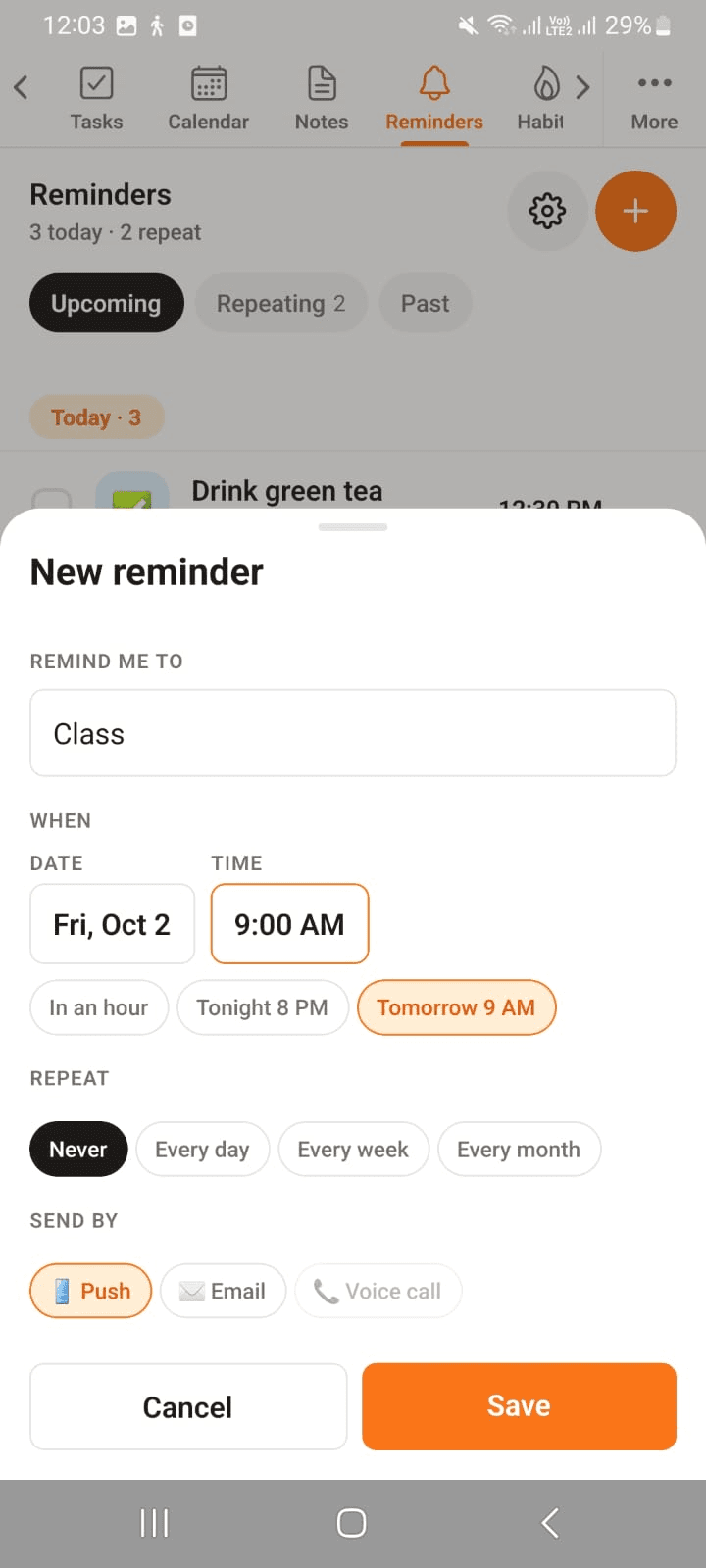
- When - pick a date and time, or use the quick picks: In an hour, Tonight 8 PM, Tomorrow 9 AM
- Make it repeat if it's a regular thing - every day, week, or month
In the screenshot, Class is being set with the Tomorrow 9 AM quick pick - one tap instead of scrolling a calendar.
How Should Rio Reach You?
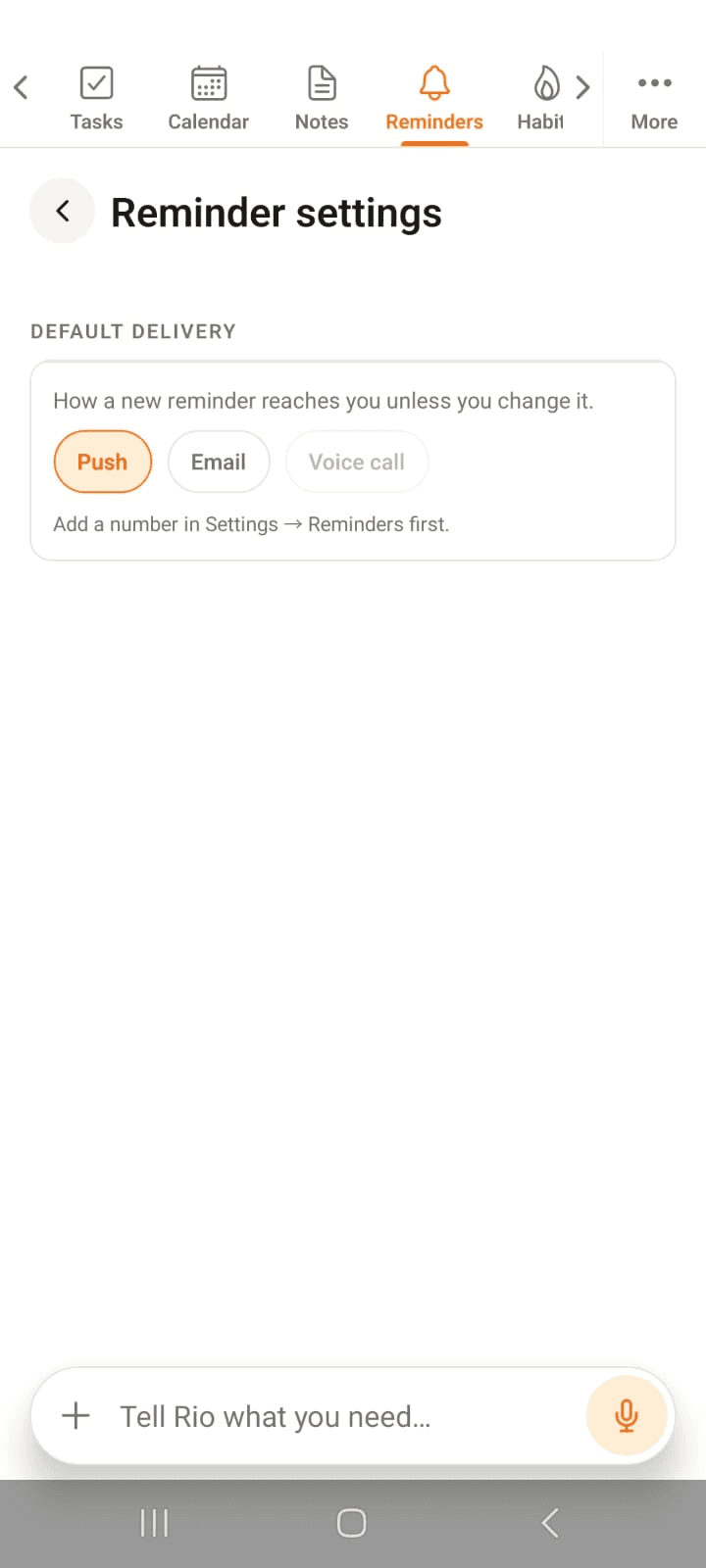
Here's the part nobody else does - you choose the delivery:
- Push - a normal notification on this device
- Email - lands in your inbox
- Voice call - Rio literally calls you. For the truly unmissable ones.
In the screenshot, Push is the default - flip it to Email or Voice call in Reminder settings whenever you like.
Or Just Tell Rio
Most of the time you won't even open this page:
- "Remind me at 5 to call the dentist."
- "Remind me to take out the bins every Sunday evening."
- "Remind me an hour before my flight on Friday."
Say it, forget it - Rio won't.
Tip
For anything critical - medication, flights, that one phone call - choose Voice call. A notification is easy to swipe away; a call from Rio is not.
Notes - Write It Down, Find It Fast
Capture a note in seconds in the Rio mobile app. Add a title and colour, pin what matters, and find any note fast with search.
Habits - Small Steps, Big Change
Build daily, weekly or X-times-a-week habits in the Rio mobile app. Create one with +, check in each day, and watch your streak grow.