
Notes - Write It Down, Find It Fast
Capture a note in seconds in the Rio mobile app. Add a title and colour, pin what matters, and find any note fast with search.
A thought strikes, you capture it, you move on. Notes in Rio take seconds to write and are impossible to lose.
Capture a Note in Seconds
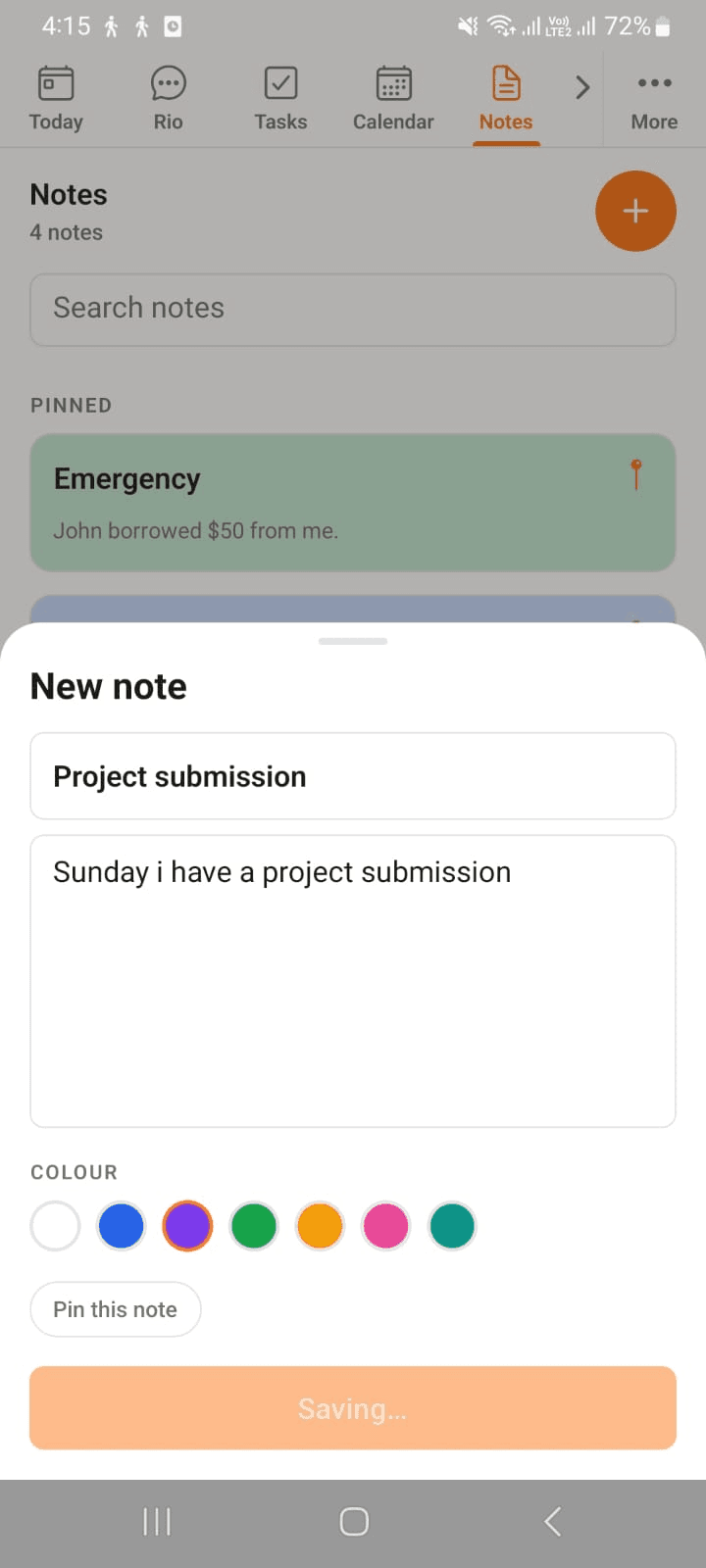
Tap the + on the Notes page:
- Give it a title
- Write the note - a number, an idea, the whole plan
- Pick a colour and hit Create
Done. Back to whatever you were doing.
In the screenshot, a note is being written - title, body, a colour, and Pin this note if it matters.
Make the Important Ones Stand Out
Two small touches that do a lot:
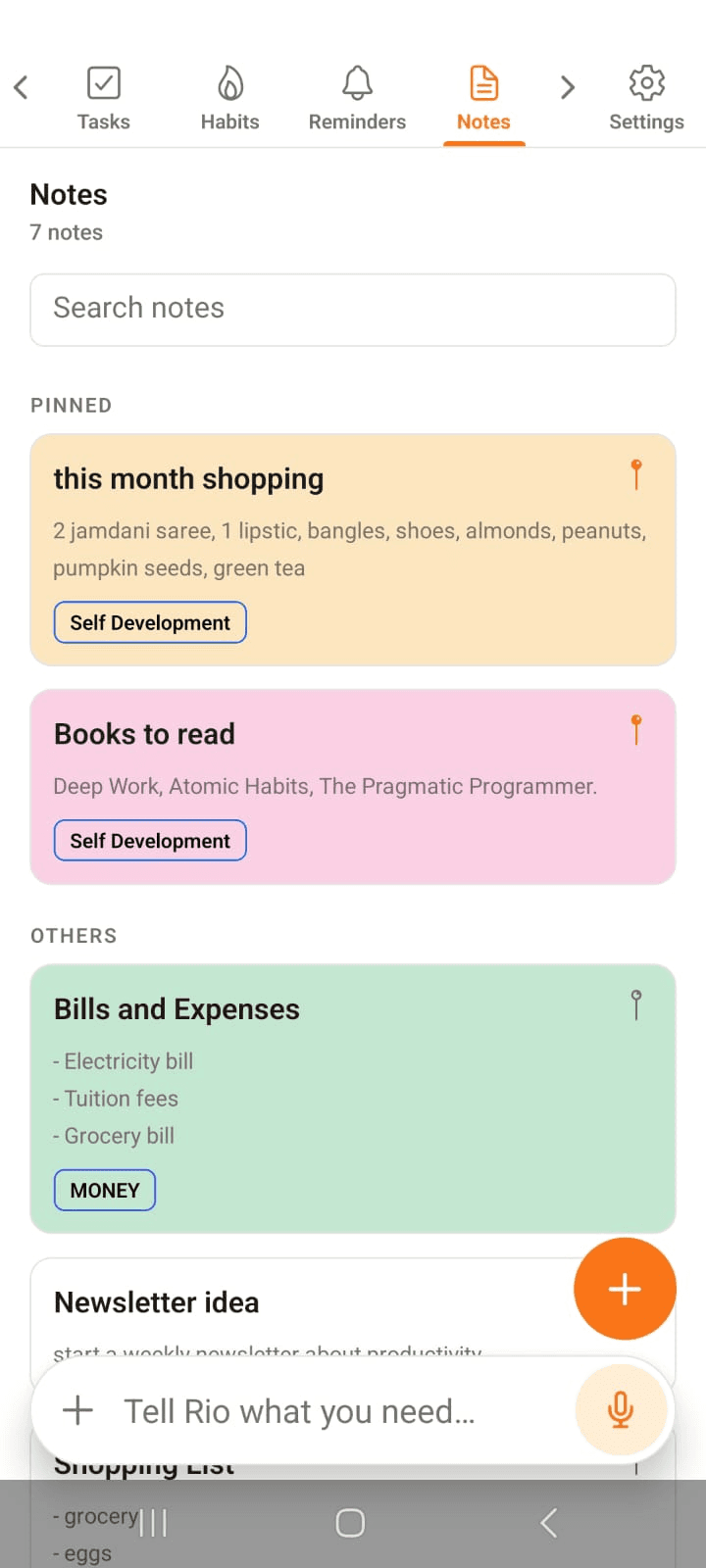
- Colour - tint a note so it catches your eye at a glance
- Pin - pinned notes live at the top of the page, in a section of their own
In the screenshot, this month shopping and Books to read sit pinned up top in their own PINNED section - the rest follow below, each in its colour, with tags like Self Development and Money.
Tap to Edit
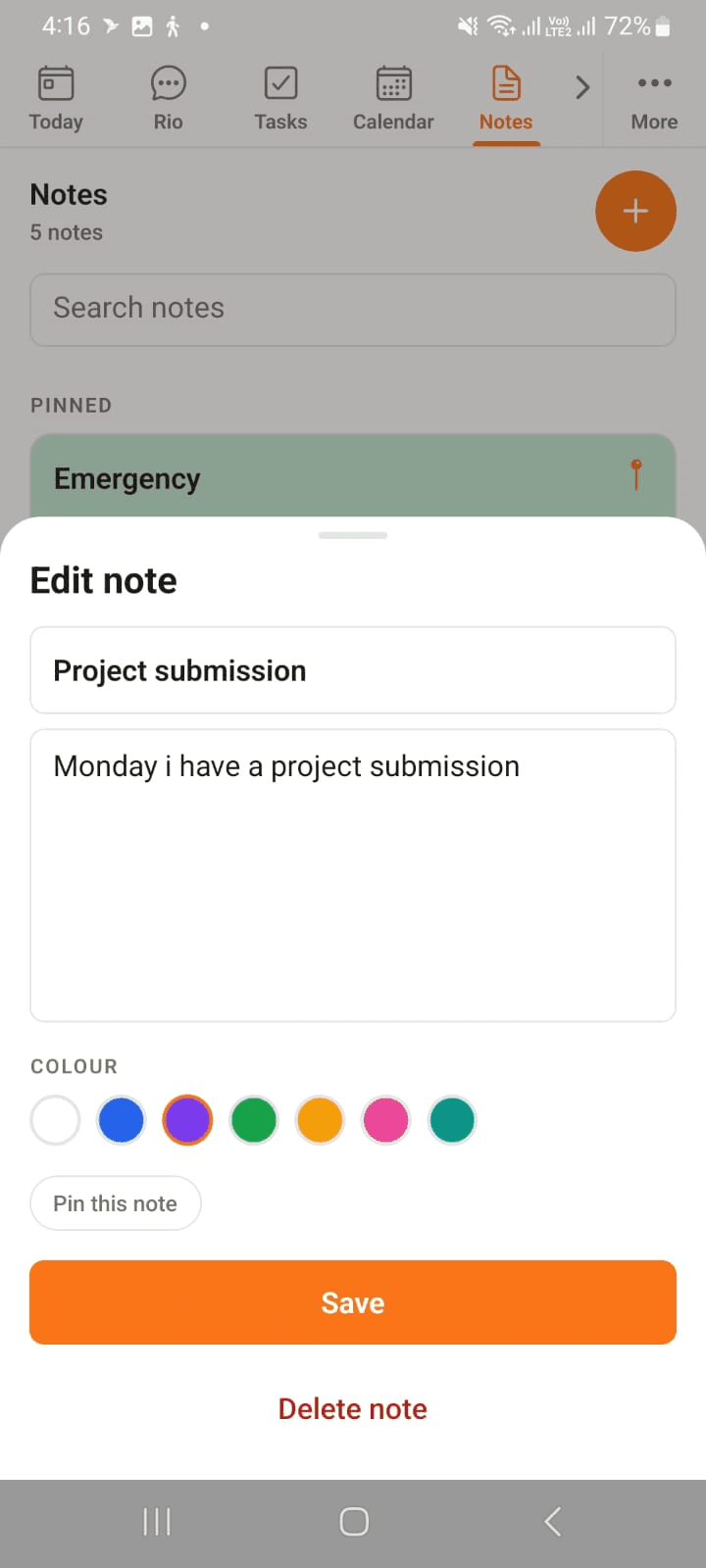
Tap any note to reopen it - fix the text, swap the colour, pin or unpin. Save keeps it; Delete note lets it go.
In the screenshot, a note is being edited - Sunday became Monday - with Save and Delete note below.
Find Anything You Wrote
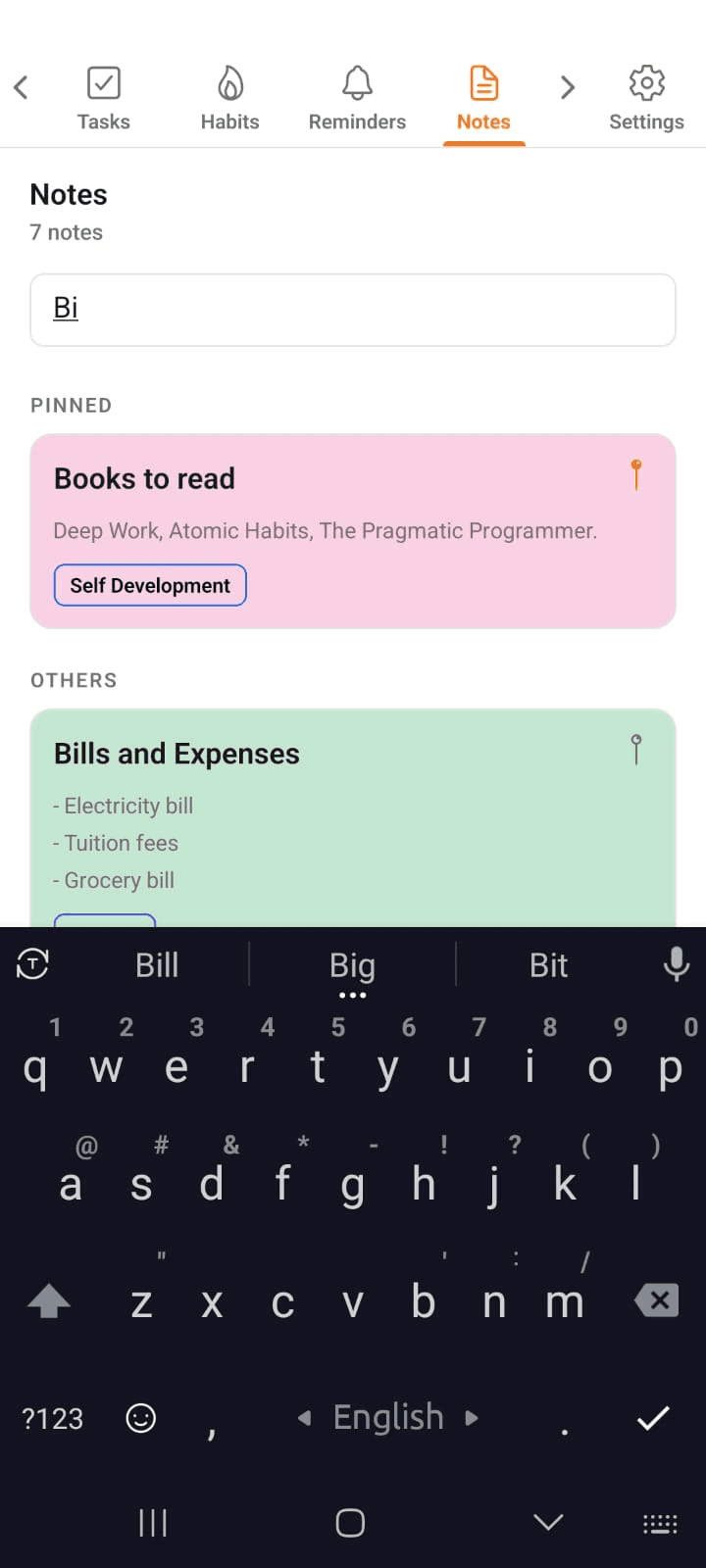
Notes pile up - that's the point. Type a word in Search notes and the one you need surfaces instantly. No folders to dig through.
In the screenshot, typing Bi instantly narrows the page to Books to read and Bills and Expenses.
Or Just Tell Rio
Mid-conversation and something's worth keeping? Say it:
- "Make a note: the wifi password is 1234."
- "Note down to water the plants when I get home."
Rio writes it down so you don't have to stop what you're doing.
Tip
Notes are for looking at, not for doing. If it has a deadline, make it a task instead - then Rio can remind you.
Calendar - Your Week, Clearly Seen
See your week at a glance in the Rio mobile app. Swipe the week strip, scan your agenda, and add or open events in one tap.
Reminders - On Time, Every Time
Set one-time or repeating reminders in the Rio mobile app. See today and this week at a glance, and get nudged at the right moment.