
Today - Your Day at a Glance
Today in the Rio mobile app lays out your day hour by hour: tasks, events, reminders and habits, with a live now-line to keep you on track.
Open the Rio app and Today is right there - your whole day, laid out from morning to night.
Your Day at a Glance
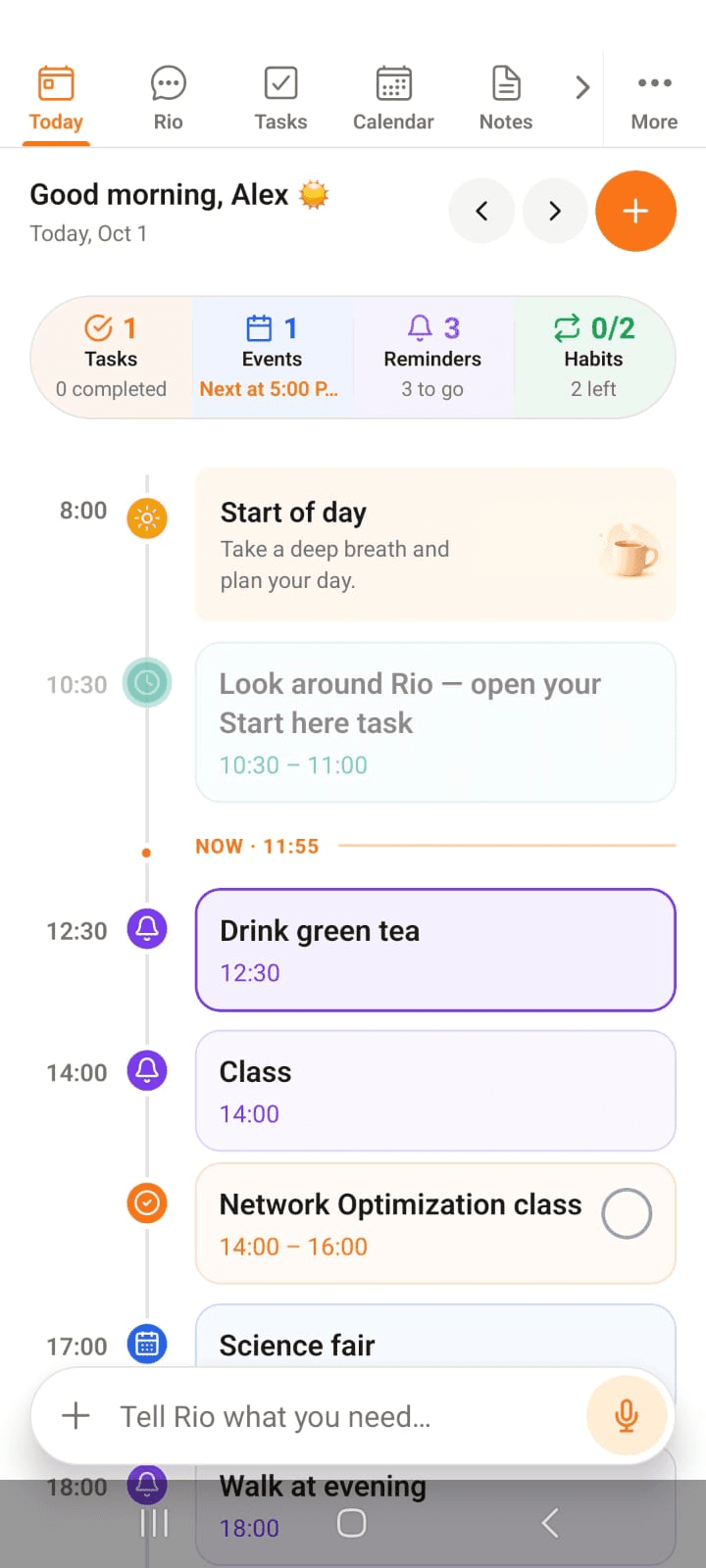
Today's date sits up top, then the page walks you through the day hour by hour - tasks, events, reminders, and habits, exactly when they happen. A moving now-line marks the current moment, so you always know where you stand.
In the screenshot, Alex's day is in motion - the now-line shows where things stand.
Flip Through the Days
The < and > arrows peek at yesterday or tomorrow. Strayed too far? Back to today brings you home in one tap.
Four Numbers That Matter
Right under the date, four counters sum up the day:
- Tasks - what's due, and how many you've completed
- Events - what's scheduled, and what's coming up
- Reminders - how many are left to go
- Habits - done out of planned
Tap any counter to jump straight into that feature - and create more from its page.
Create Anything with +
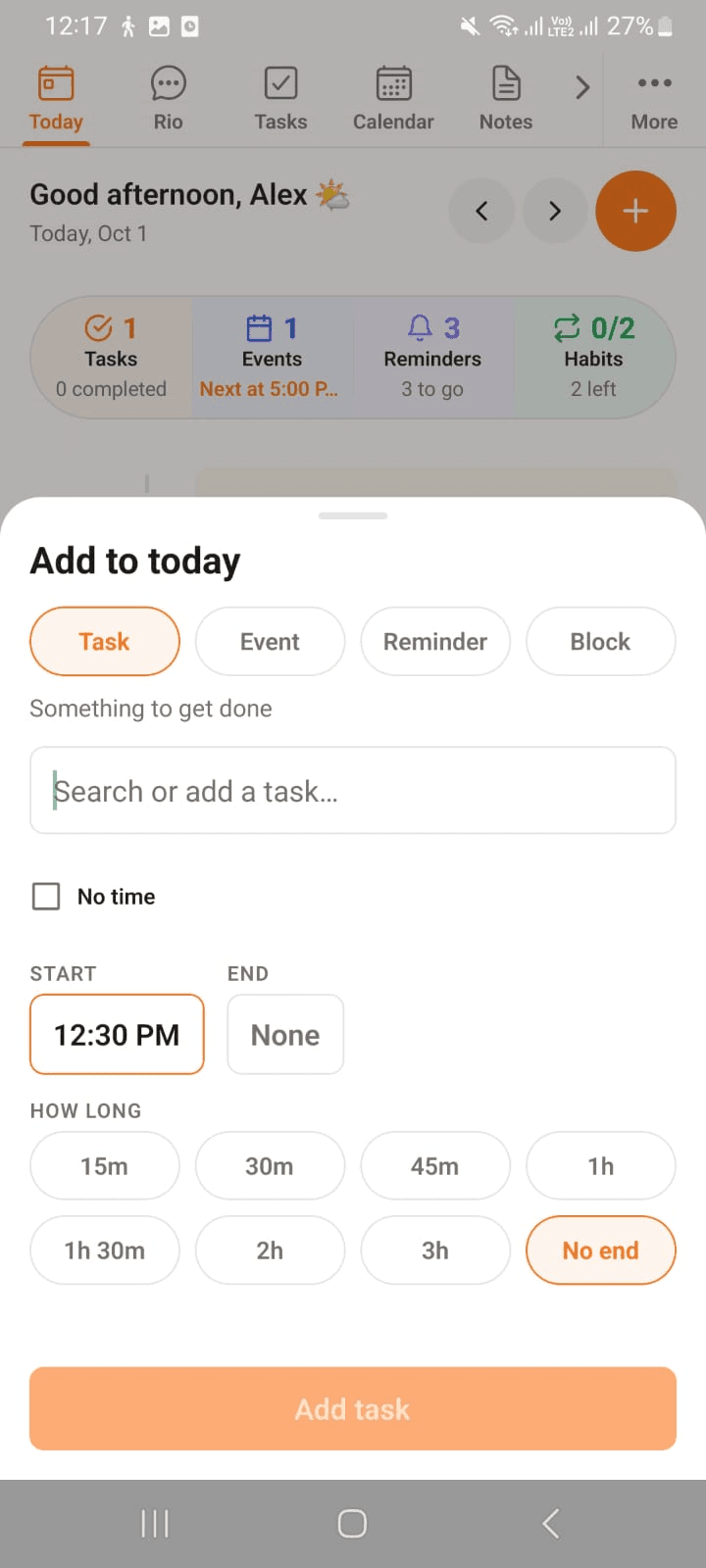
The + button opens a quick sheet - add to your day without leaving it:
- Task - with a start time, an end, or No time at all
- Event - with start and end times
- Reminder - pick the moment, Rio does the remembering
- Block - carve out time: how long is up to you, from 15 minutes to 3 hours, or no end
In the screenshot, a task is being added - name it, set a time if it has one, and tap Add task.
Never Miss a Notification
The bell icon keeps your alerts one tap away - everything Rio needs to tell you, gathered in one place.
Tell Rio, Mid-Screen
At the bottom of every screen sits the Rio bar - "Tell Rio what you need..." Type, or hold the mic and speak. Create tasks, set reminders, plan the day - without moving an inch.
Tip
The Rio bar understands plain language: "Remind me to call mom at 6" - done. No forms needed.