
Tasks - Capture, Plan, Finish
All your tasks in one list on the Rio mobile app. Sort by due date or area, filter and search, and add tasks by hand or by voice.
Every task you create - by hand or by voice - lives here. One list, always in your pocket.
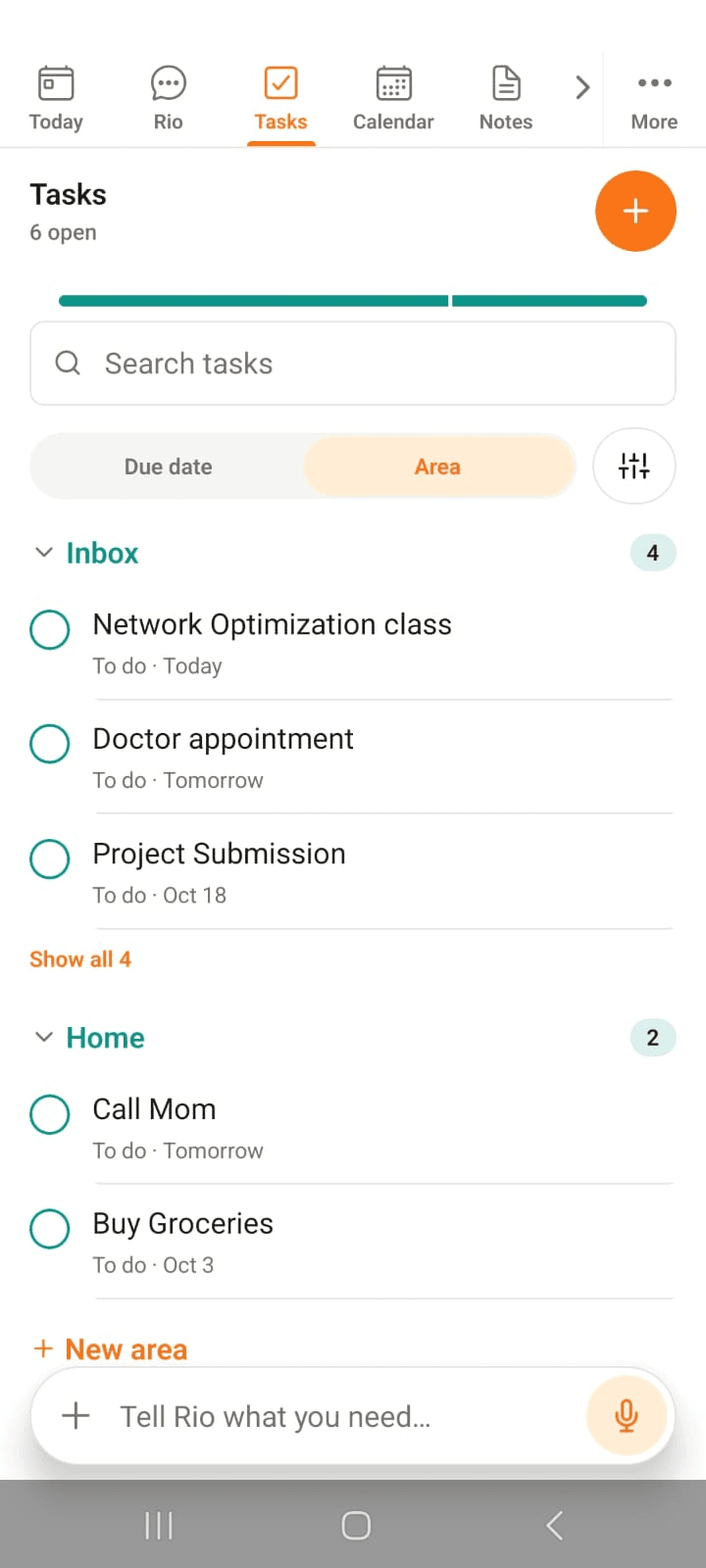
In the screenshot, the Tasks page groups everything by area - Inbox, Home and more - with open counts beside each group.
Due Date or Area - See It Both Ways
One toggle, two ways to read your list:
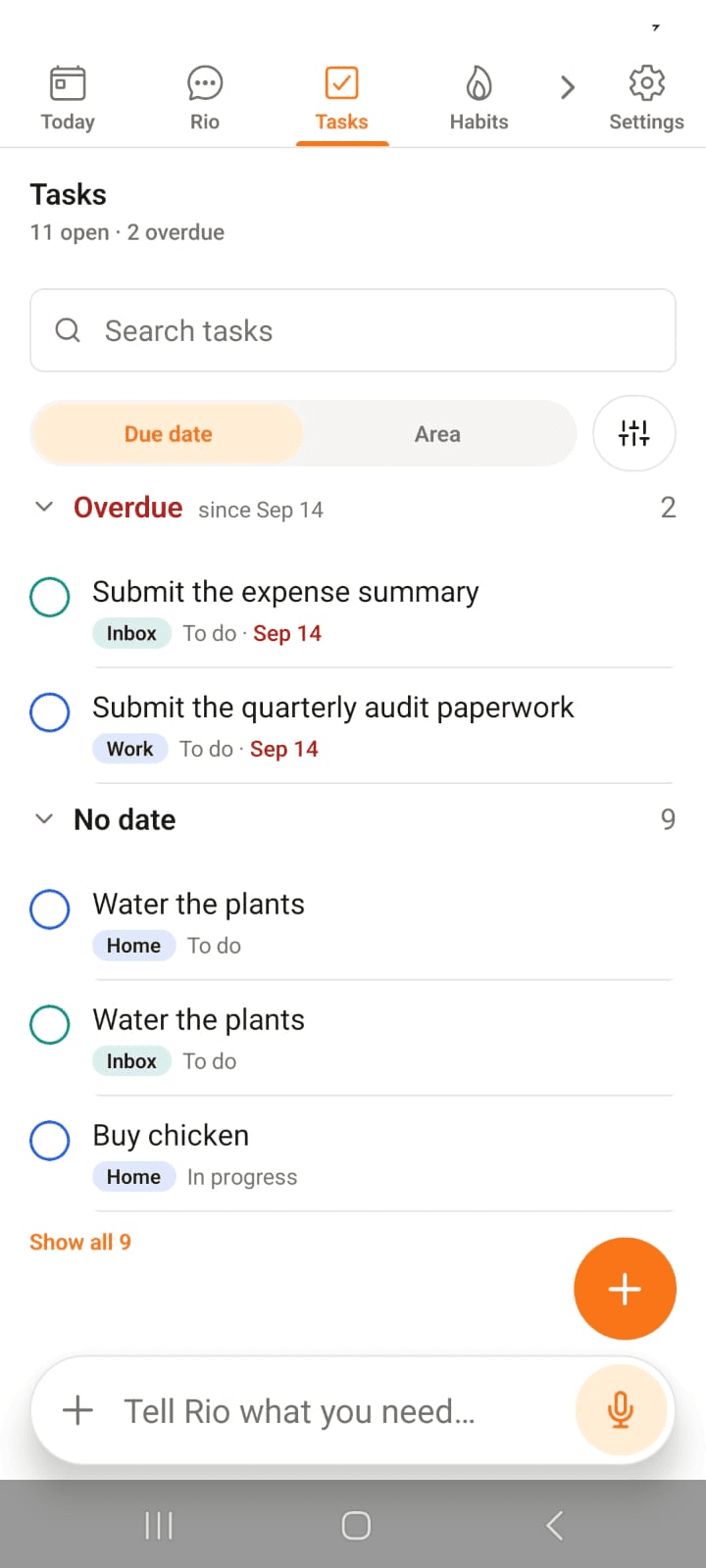
- Due date - the day lined up in order: Overdue, Today, No date
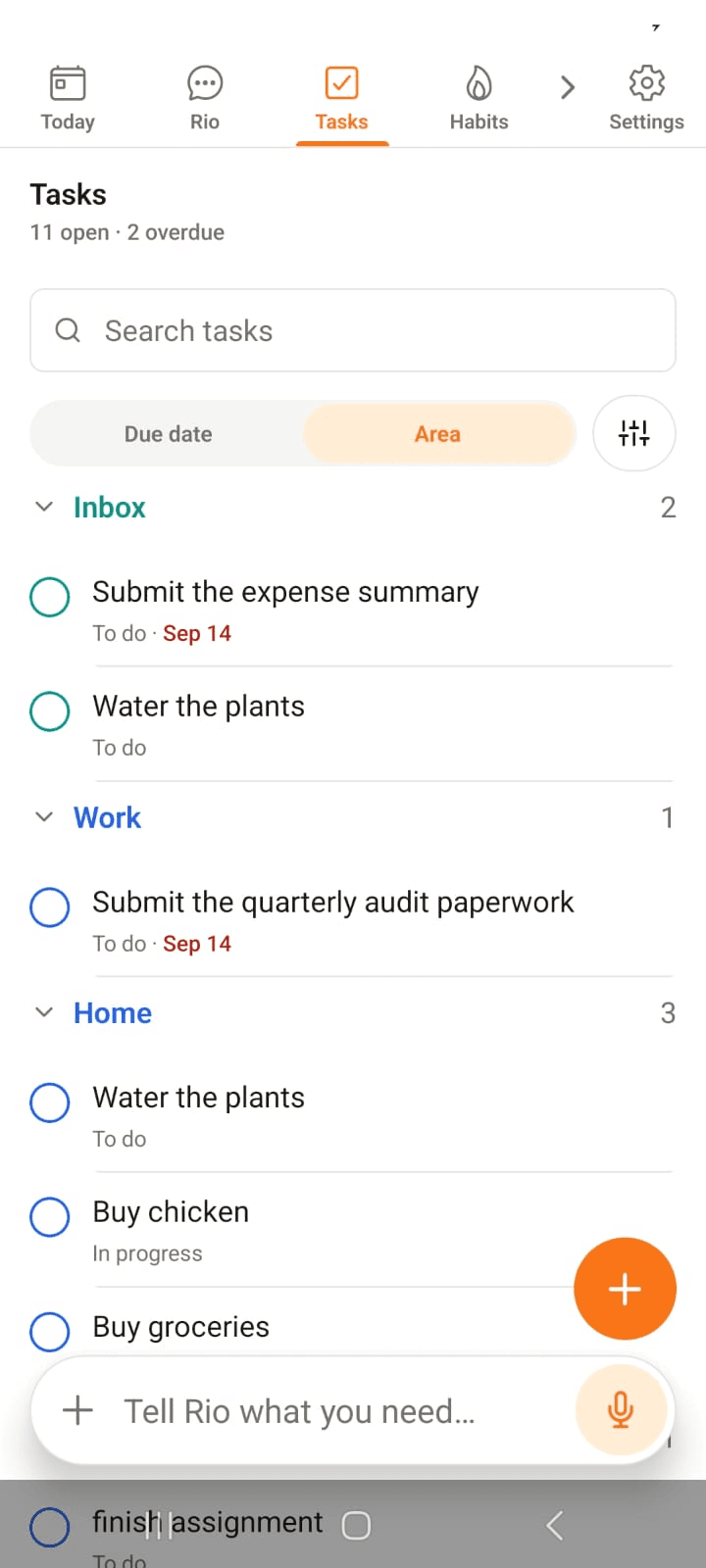
- Area - everything grouped by part of life: Inbox, Work, Home
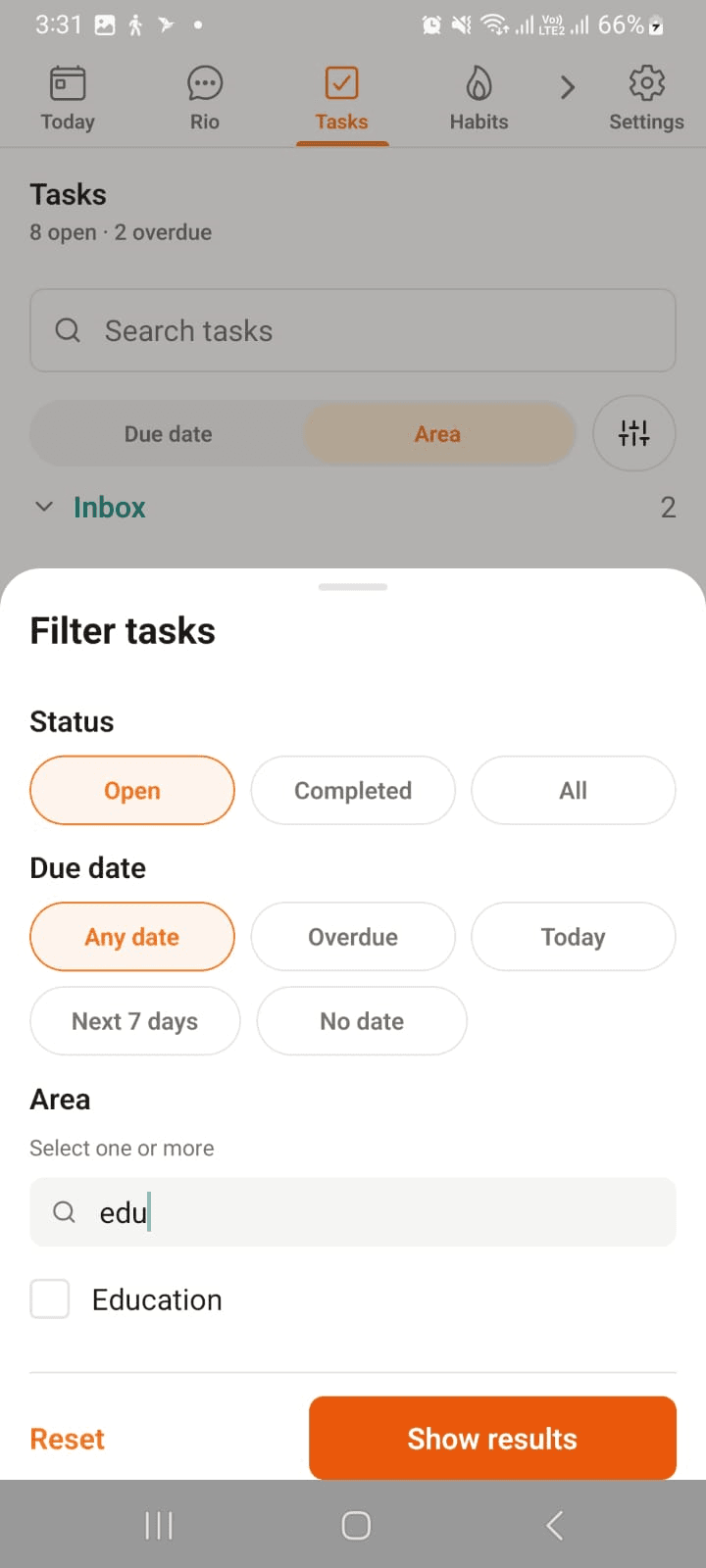
Tap the sliders icon beside the toggle for filters - status, due date, area.
In the screenshots, the same tasks in both views: Overdue and No date on one side, Inbox, Work and Home on the other.
Areas, Projects, Tasks - How It Fits
Three levels, like a tidy shelf:
- Area - a corner of your life: Home, Work, Education. It holds things; it never "finishes"
- Project - optional, lives inside an area: Development study inside Work - several tasks, one finish line
- Task - the to-do itself: straight into an area, or under a project within one
The idea is simple: same type of work, same home. Every errand stays in Home, every assignment in Education - open an area and that whole corner of your life is right there. Want finer sorting? Build a project inside the area and file its tasks under that.
Create It as Deep as You Like
Tap the + and start anywhere in the hierarchy:
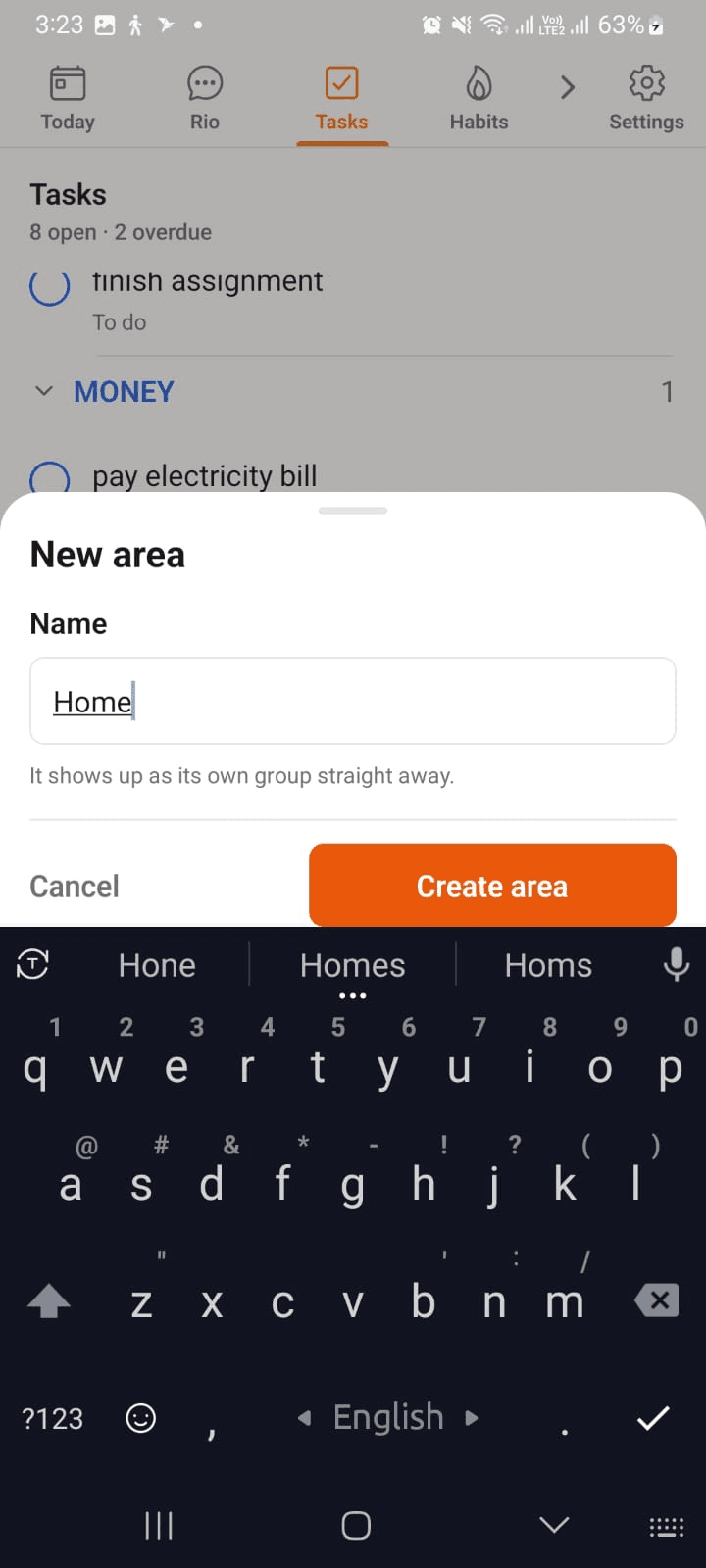
- Create an Area - name it, tap Create area, it's a group of its own
- Add a Task straight into it - name, area, due date, Create task
- Or go one level deeper - pick a Project inside the area and file the task under that
In the screenshots: Home is born; Buy diet food lands straight in it; and Social survey goes under Development study, inside Work.
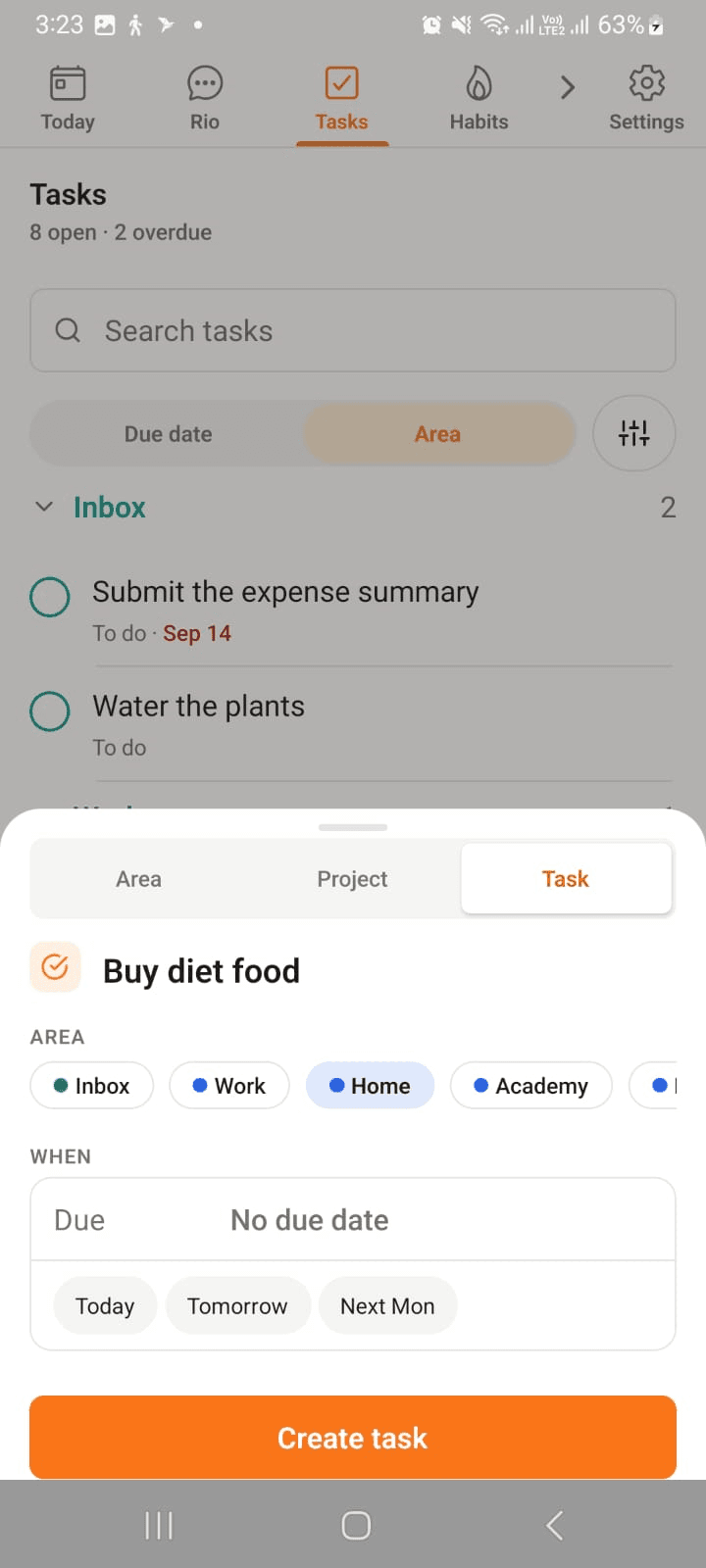
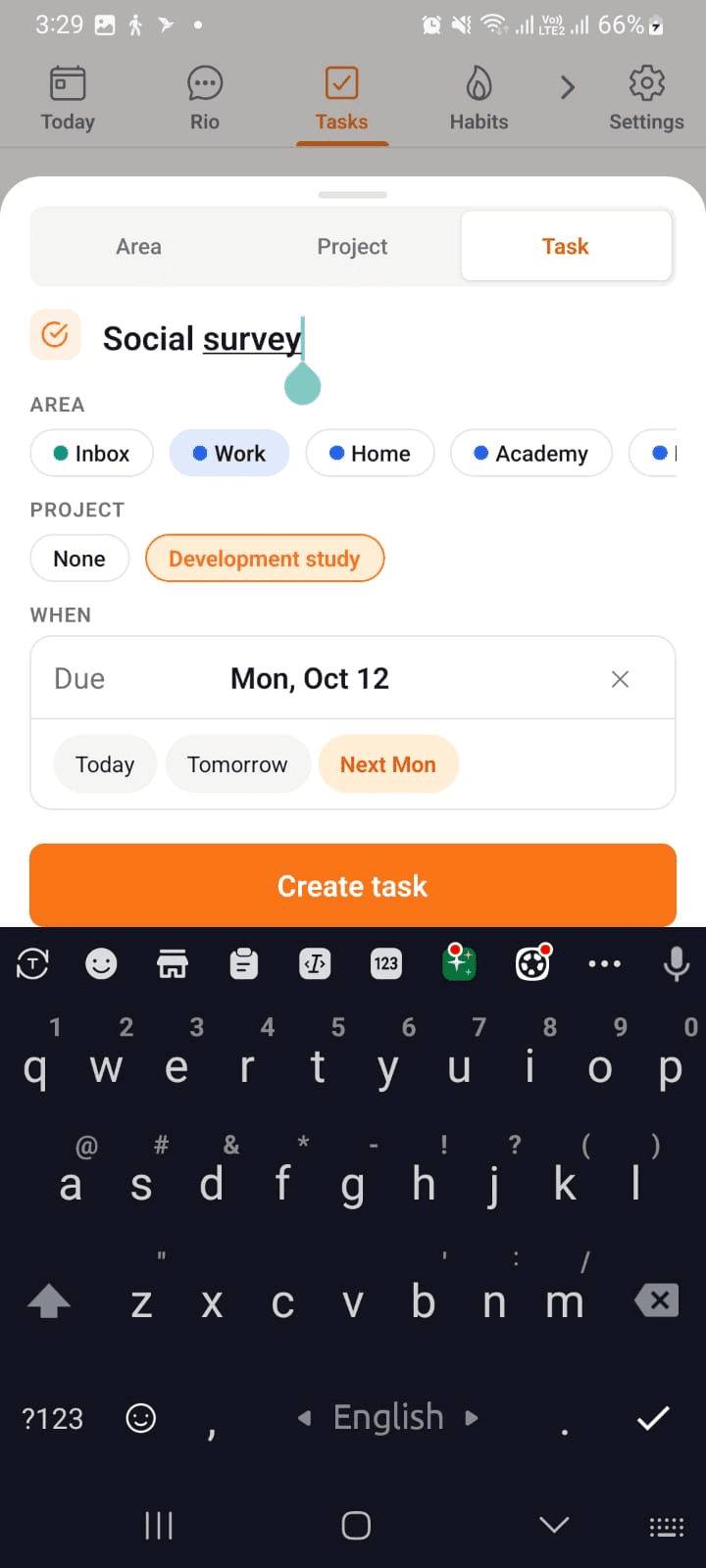
New tasks without an area land in the Inbox - a safe holding spot. File them properly when you have a moment.
Find It Fast
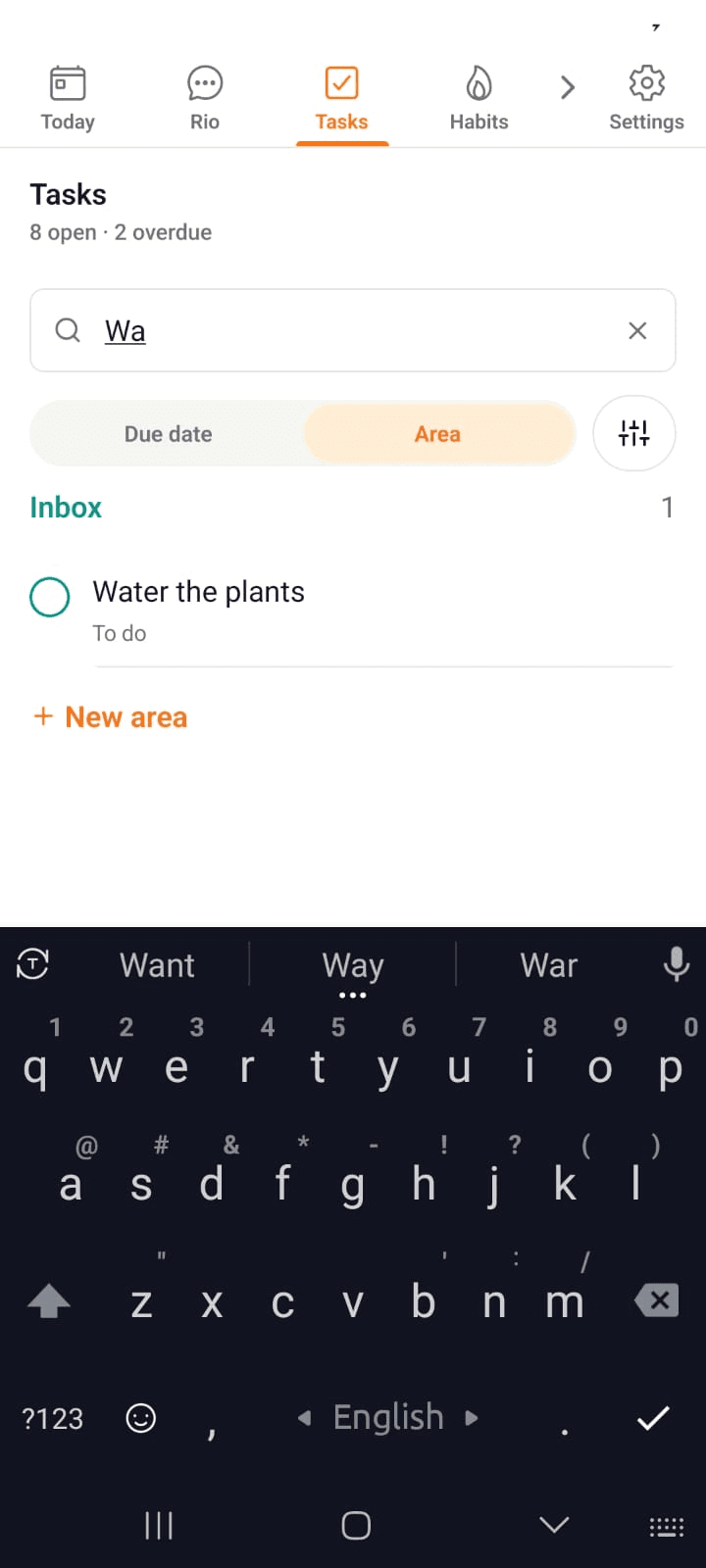
- Search - type in the bar and the task surfaces instantly. Below, typing Wa narrows everything down to Water the plants
- Filters - the sliders icon narrows by status, due date and area - with its own search: typing edu finds the Education area in a heartbeat
Every Detail, One Tap Away
Tap any task to open it:
- Status - To do, In progress, Blocked, or Done
- Area - keep it filed where it belongs
- Due date & reminders - get nudged before it's too late
- Description - the details, right on the task
Or Just Tell Rio
From the Rio bar or chat, say it like you'd say it out loud:
- "Add a task to submit the report Friday."
- "Remind me to call the dentist an hour before."
- "Move my design review to tomorrow."
Rio writes it down, files it, and schedules the nudge.
Tip
Use In progress for the one thing you're actually doing right now - your Today page and filters will thank you.
Rio - Chat That Gets Things Done
Two ways to talk to Rio on your phone: the Rio bar on every screen, or a full chat. Type or speak, and Rio gets it done.
Calendar - Your Week, Clearly Seen
See your week at a glance in the Rio mobile app. Swipe the week strip, scan your agenda, and add or open events in one tap.