
Keep Every Task in the Right Place
Organize Rio tasks into areas like Home, Work and Education. Create areas and projects, and use the Inbox for tasks without a home.
Life comes in sections - home, work, education. Rio's areas mirror that, so every task lives exactly where it belongs and your day stays easy to read at a glance.
Create Your Areas
Think of the parts of your life that repeat. For each one, create an area:
- Home - rent, repairs, groceries
- Work - reports, meetings, follow-ups
- Education - assignments, exam prep
Creating an area takes seconds - name it, and it's ready. Now every related task you add has a clear home.
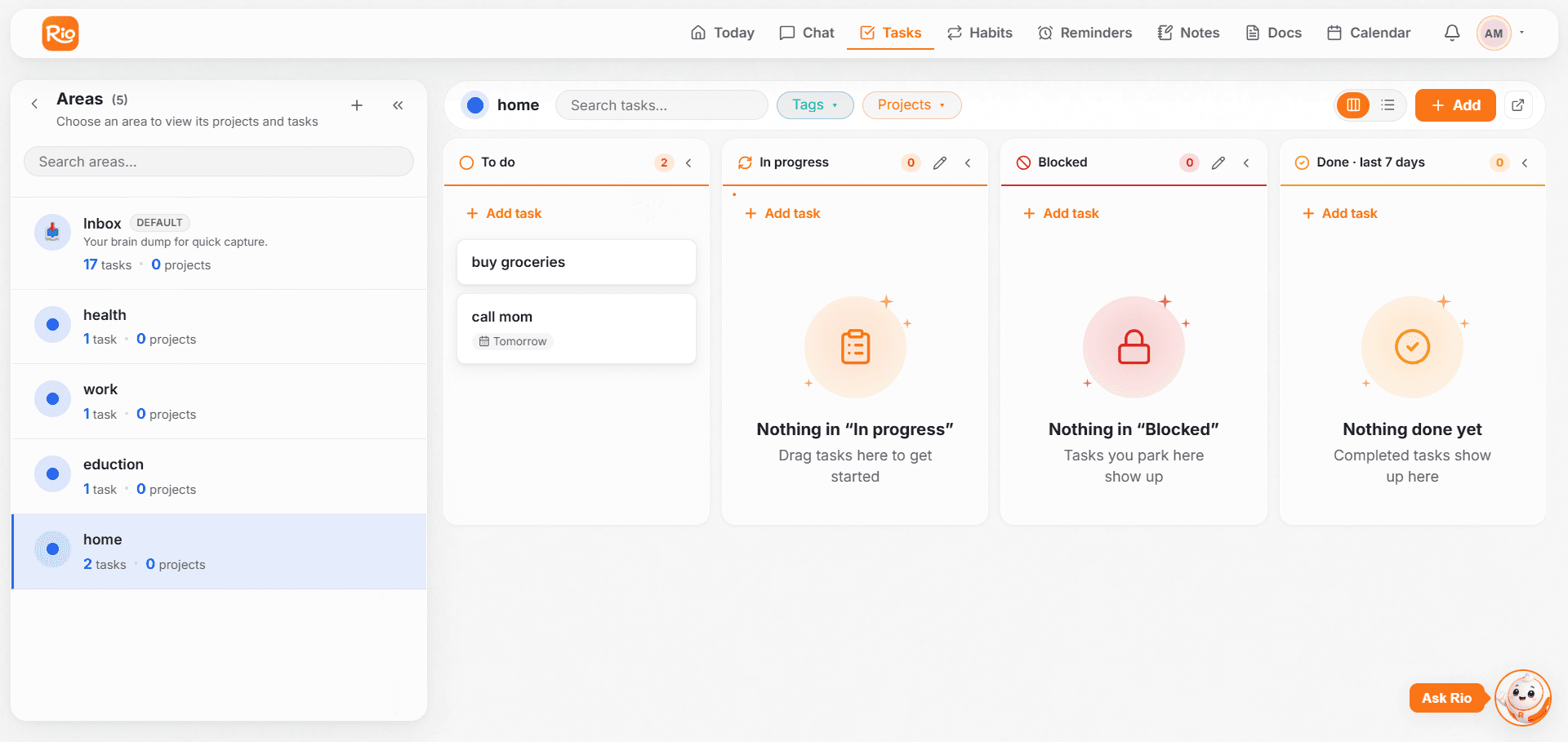
Tasks - and Projects - Inside an Area
Inside each area, create as many tasks as you need. And when something is bigger than a single task - like Renovate the kitchen - create a project inside the area and keep its related tasks together under it.
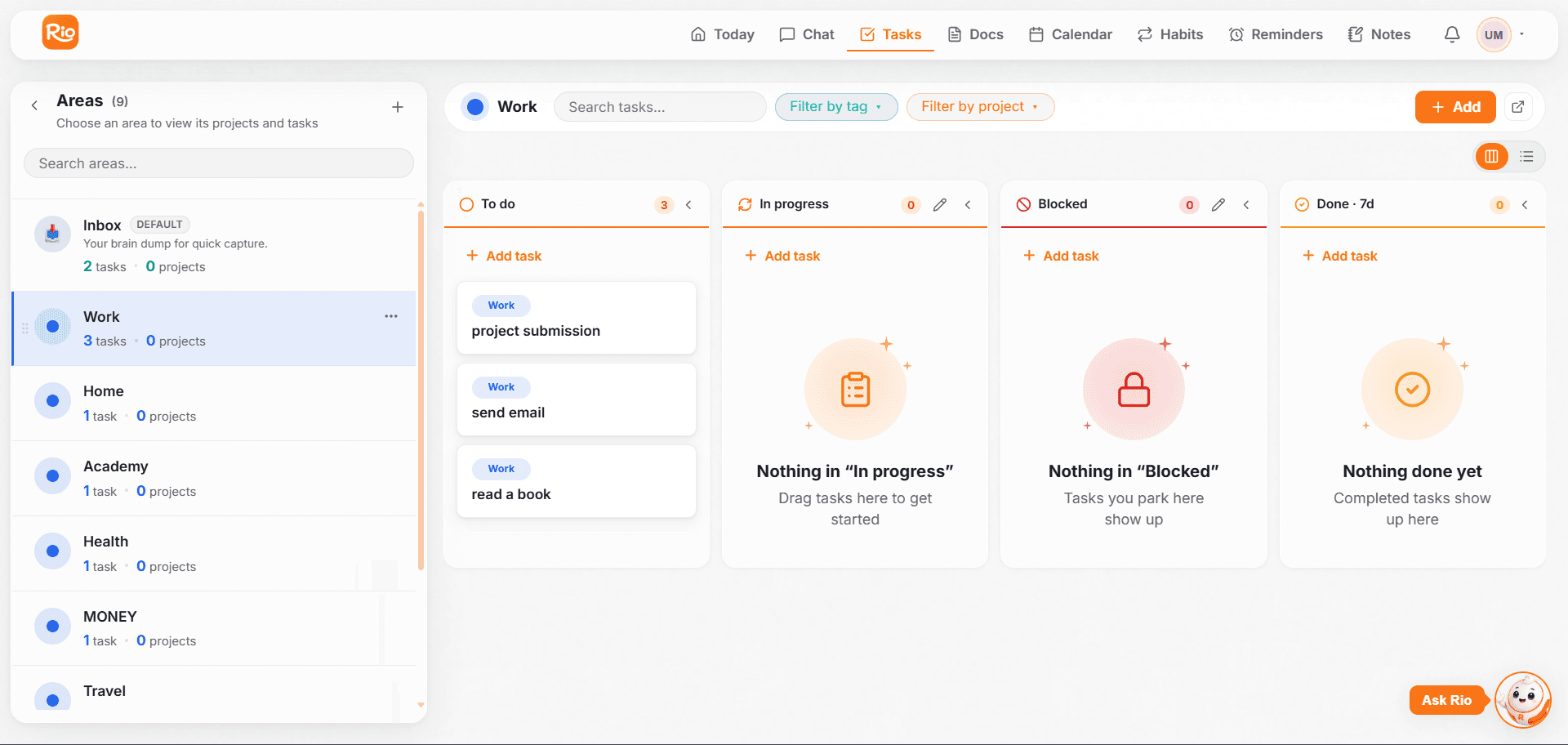
Inbox: Your Default Area
Every Rio account starts with one area already waiting: the Inbox. It catches everything that doesn't have a home yet.
- Tasks created from the timeline go to Inbox automatically
- Tasks Rio creates - where no area was mentioned - land in Inbox too
Good to know
Inbox isn't a dumping ground - it's a staging area. When a task's home becomes clear, move it: open the task, choose the area, done. Or just ask Rio - "Move the groceries task to Home."
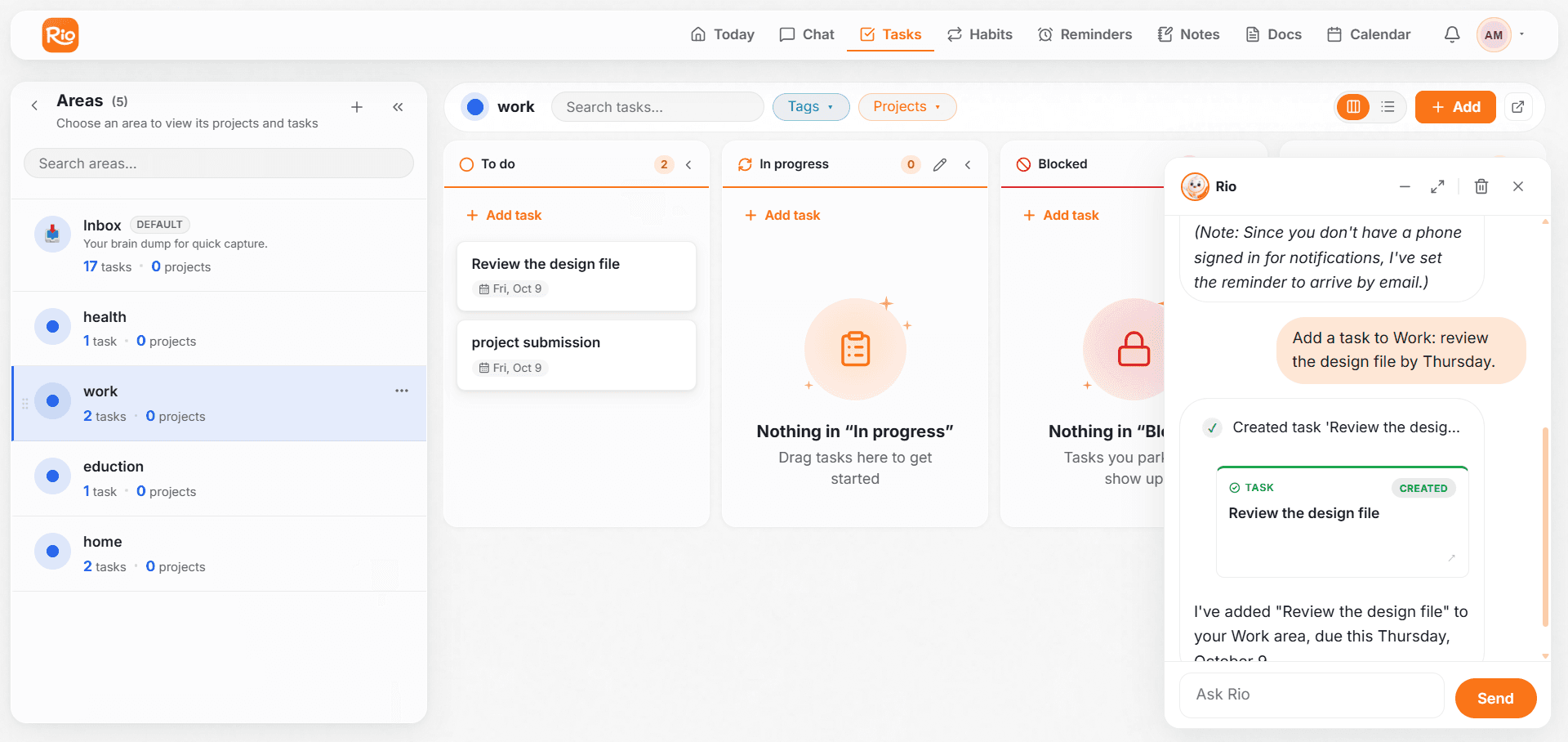
Let Rio Organize for You
Say the area while you talk, and Rio files the task on the spot:
- "Add a task to Work: review the design file by Thursday."
- "Under Home, remind me to fix the leaking tap this weekend."
- "Move my project task to Education."
One sentence, and the task lands in the right place - no menus needed.
You Don't Have to Name the Area Every Time
Once your areas are set up, Rio starts recognizing what belongs where. Just mention the task - Rio picks the right area on its own:
- "Fix the leaking tap this weekend." → lands in Home
- "Prepare the lecture slides for Monday." → goes to Education
If you do name a specific area, your word always wins - Rio follows your instruction over its guess. And when nothing matches, the task waits safely in your Inbox until you decide.
Stay on Top of Your Progress
Track every Rio task through four statuses: to do, in progress, blocked and done. Update a status by hand or just tell Rio.
Plan, Schedule & Never Miss a Task
Give every Rio task a date and time, add reminders where it matters, and reschedule by telling Rio 'move my project task to Friday'.