
Stay on Top of Your Progress
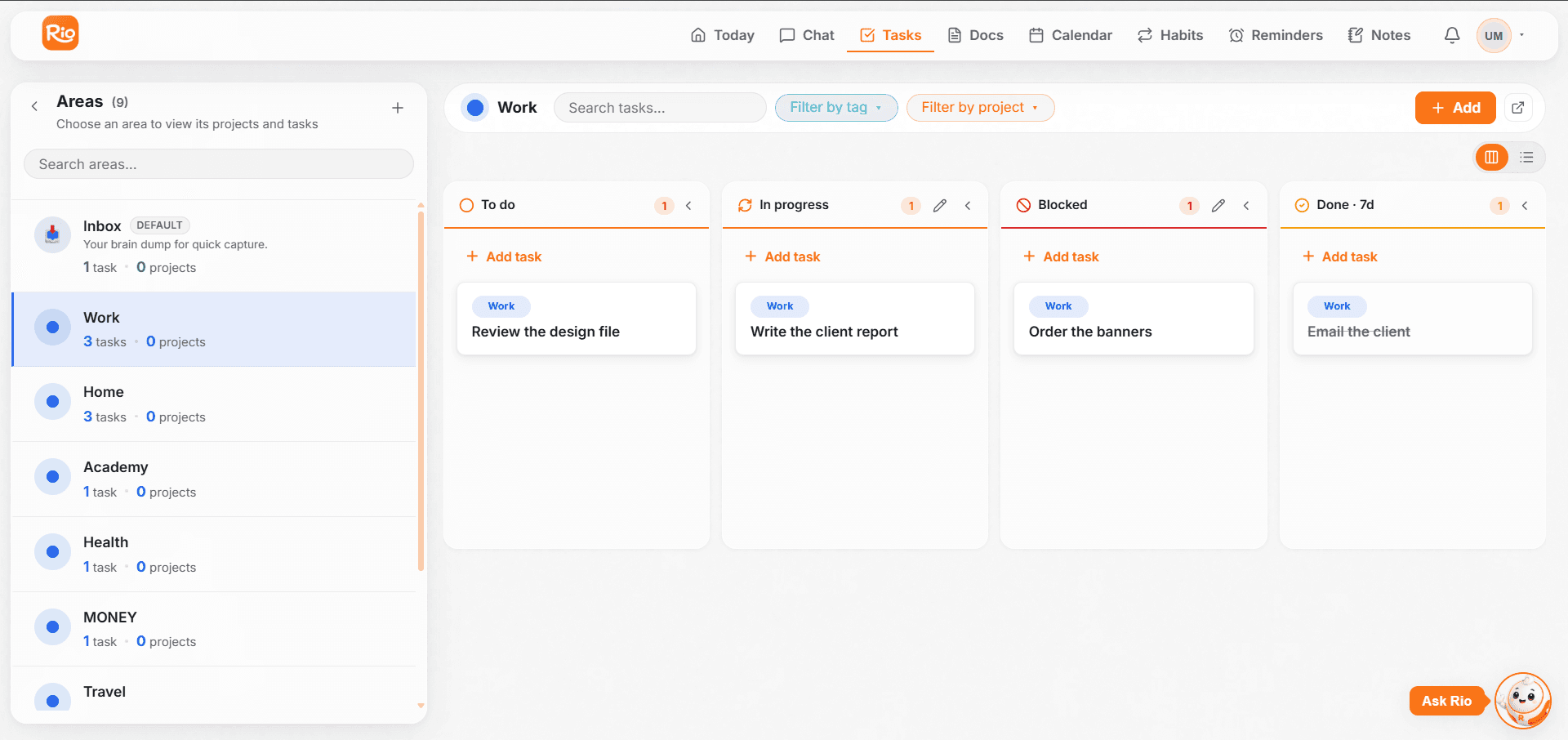
Track every Rio task through four statuses: to do, in progress, blocked and done. Update a status by hand or just tell Rio.
Finishing a task should feel as good as planning it. In Rio, every task carries a clear status - so at one glance you know what's queued, what's moving, what's stuck, and what's done.
Know Where Every Task Stands
Every task moves through four simple states:
| Status | What it means |
|---|---|
| To do | Queued up - not started yet |
| In progress | You're actively working on it |
| Blocked | Stuck - waiting on something or someone |
| Done | Finished and checked off |
Update a task's status as things move - on the task itself, or by simply telling Rio:
- "Start the website task." → In progress
- "Mark the design task as blocked."
- "The report is finished - mark it done."
Tip
Blocked is your early-warning system. A task sitting in Blocked for days is a signal - chase the blocker, break the task down, or ask Rio to reschedule it.
Check Off What You've Done
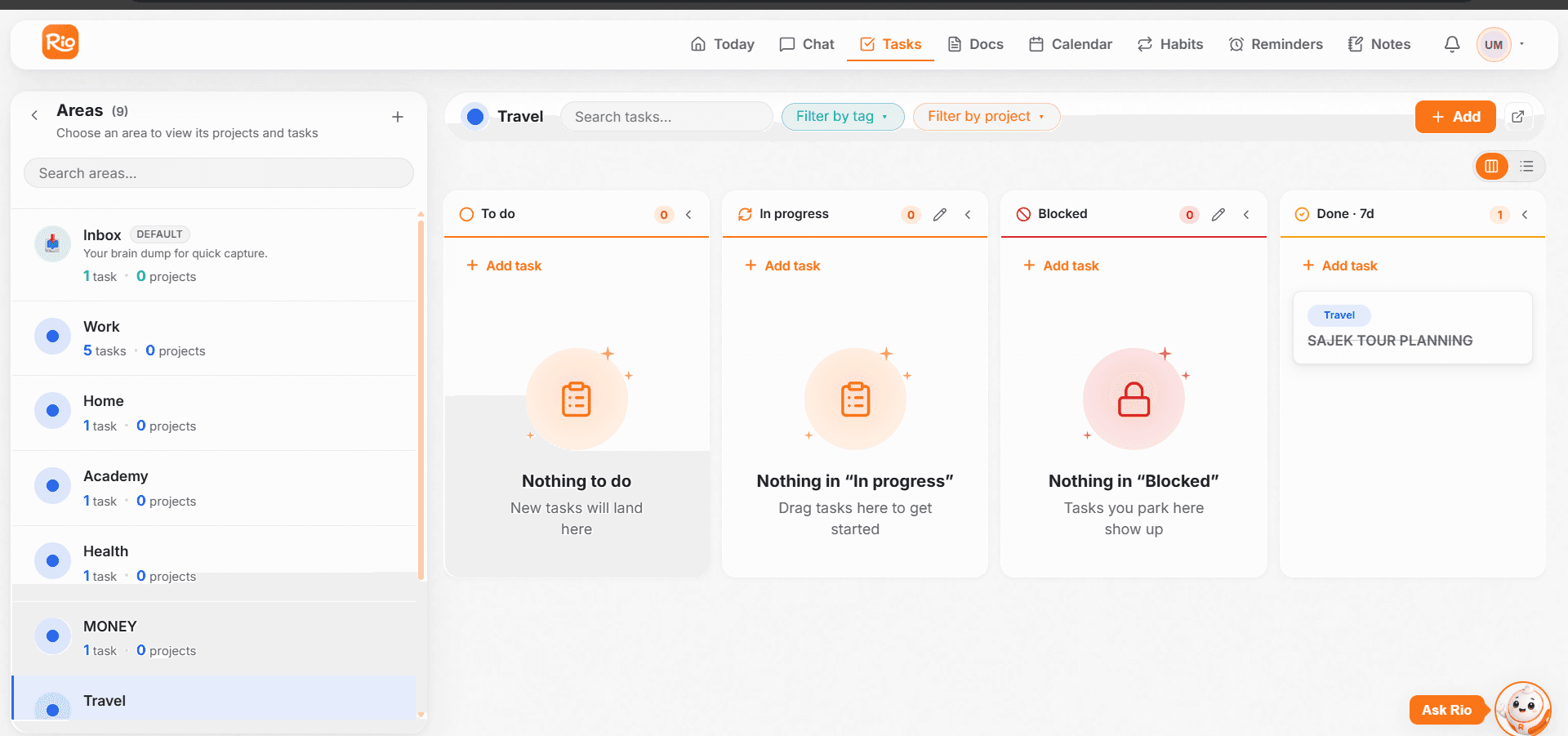
Finished something? Set the task to Done - it leaves your active list, so your timeline and areas show only what's left. Nothing finished clutters your day.
Prefer chat? Just say:
- "Mark the report task as done."
- "I finished the groceries - complete that one."
Review What's Done - and What's Pending
Your areas double as a scoreboard. Open any area to see what's complete and what's still open, then plan your next move:
- "What's left in my Work area?"
- "Show my pending tasks for this week."
- "Which tasks are blocked right now?"
Update Your Tasks Without Starting Over
Edit a Rio task's title, date, area or description without starting over. Change it on the task, or just ask Rio in chat.
Keep Every Task in the Right Place
Organize Rio tasks into areas like Home, Work and Education. Create areas and projects, and use the Inbox for tasks without a home.